AeroKit UI Faq03 Minimal

Back

Component Description(Generated by AI)

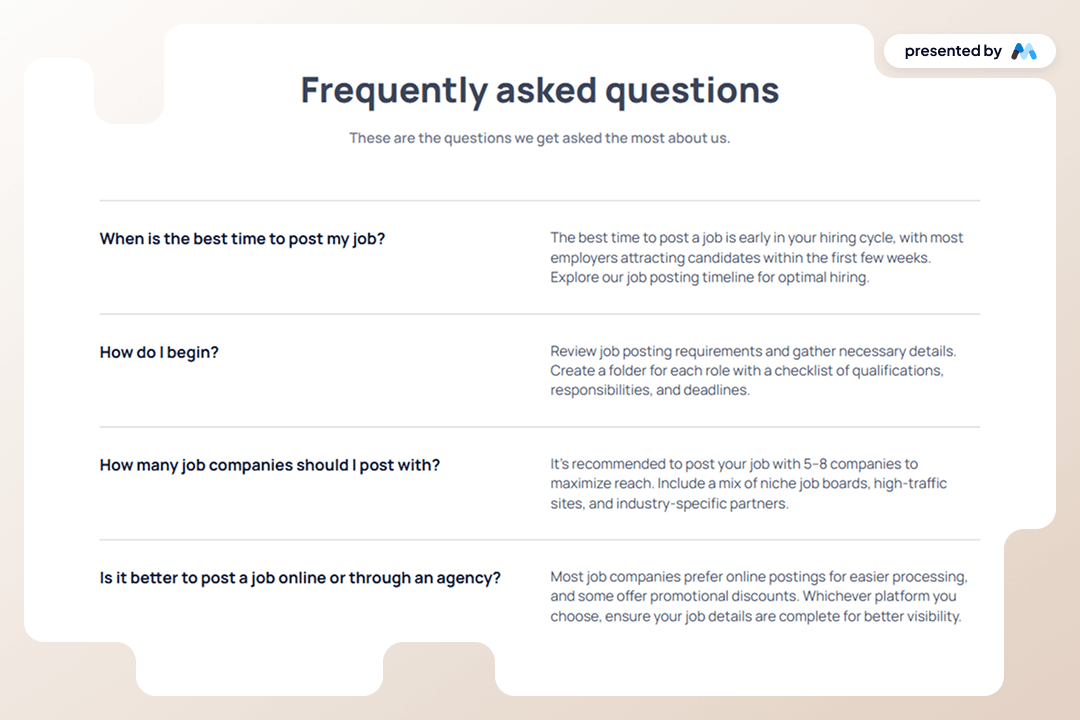
AeroKit UI Faq03 Minimal is a user-friendly FAQ component designed for Webflow projects. It provides a structured layout for frequently asked questions, allowing users to easily navigate and find answers. The component features a clean design with collapsible sections for each question, making it ideal for enhancing user experience on websites.

Key Features

  • Collapsible FAQ sections for better organization of content.Customizable styles for headings and paragraphs, allowing for easy integration into various designs.Responsive design that adapts to different screen sizes, ensuring accessibility on mobile devices.Includes CSS for text clarity and focus states, improving usability for keyboard navigation.

Design Elements

  • Minimalist layout with a focus on clarity and readability.Use of flexbox for layout management, allowing for a flexible arrangement of FAQ items.Color scheme featuring shades of blue and gray for a professional appearance.Incorporation of whitespace to enhance content separation and visual appeal.

Potential Use Cases

  • Corporate websites needing a dedicated FAQ section for customer inquiries.E-commerce platforms looking to provide product-related questions and answers.Service-based businesses wanting to address common client questions.Educational institutions providing information about courses and admissions.

Conclusion: The AeroKit UI Faq03 Minimal component is a practical solution for any website requiring an organized FAQ section, enhancing user engagement and information accessibility.

Related Components

More components you might find useful

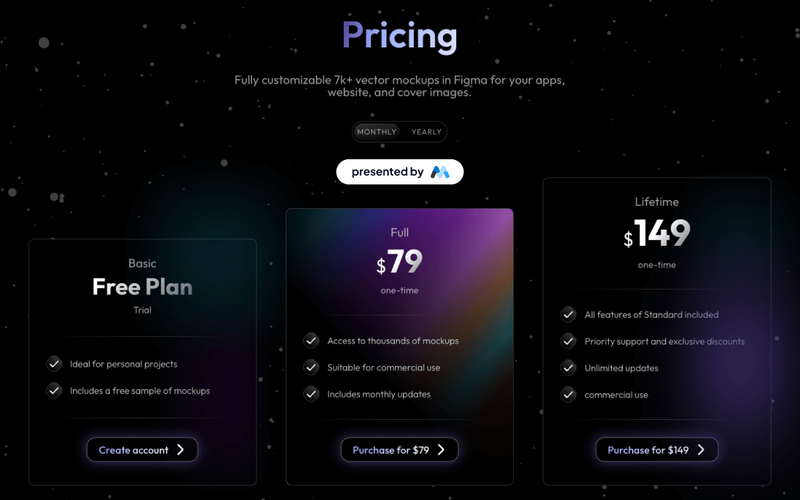
Dark Gradient Pricing
View Component
Marketing UI

Dark Gradient Pricing

This component offers a visually appealing pricing table with flexible plans, including a free basic option and a one-time lifetime purchase, ideal for showcasing various pricing tiers. Key Features Multiple pricing plansResponsive design suitable for various devicesInteractive tabs for easy navigation between pricing optionsDesign Elements: Dark gradient background with a modern aesthetic Clear typography with varying font sizes for emphasis Use of icons to enhance visual appeal Hover effects for interactive elements Potential Use Cases: Startups looking to present their subscription models Freelancers offering design services with tiered pricingE-commerce websites needing a clear pricing structure SaaS companies showcasing different subscription plans Creative agencies promoting their design assets Conclusion: The Dark Gradient Pricing component is a versatile and visually striking solution for any business needing to present pricing options clearly and attractively.

Styled Mega Nav – Product Menu
View Component
NavbarsMarketing UI

Styled Mega Nav – Product Menu

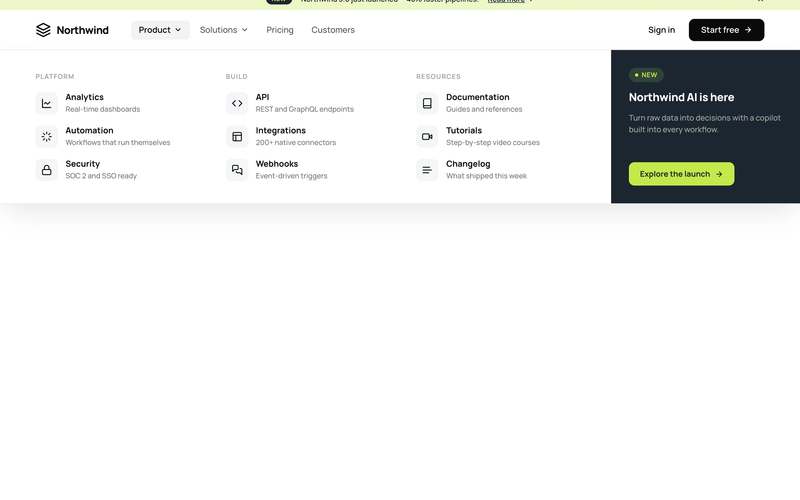
The Styled Mega Nav – Product Menu component provides a production-ready mega navigation bar with a full-width dropdown panel organized into three icon-led link columns. It pairs a dark featured promo panel (with badge and CTA) alongside categorized link groups for Platform, Build, and Resources. The navbar includes an announcement bar with a dismissible banner, a left-heavy layout with dropdown chevrons, and a compact mobile state. This component is a free resource for Webflow developers building SaaS, membership, or product sites. Key Features Three-column icon-led link grid with titles and descriptions per link row. Dark featured promo panel with "NEW" status badge and accent CTA button. Announcement bar with inline link, badge pill, and close icon. Left-heavy navbar layout with logo and nav links clustered together, CTA isolated right. Dropdown chevron indicators on trigger nav items with active pill state. Mobile-responsive hamburger menu state. Potential Use Cases SaaS platforms with multiple product areas needing organized navigation. Membership sites with documentation, tutorials, and resource sections. Product-led companies requiring a featured launch or announcement in the nav. Marketing sites that need an announcement banner above the navigation.

Styled Platform Nav – Mega Menu with CTA Card
View Component
NavbarsMarketing UI

Styled Platform Nav – Mega Menu with CTA Card

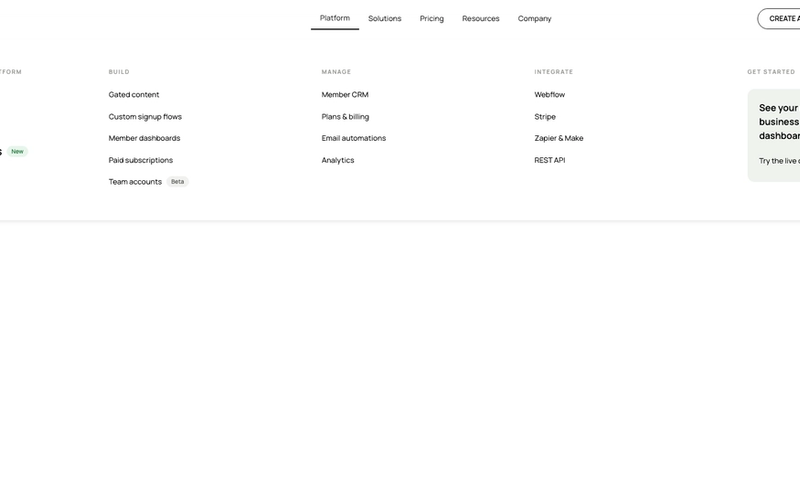
The Styled Platform Nav – Mega Menu with CTA Card component is a production-ready SaaS navigation bar with a five-column mega menu dropdown. The Platform dropdown organizes links into four categorized columns (The membership platform, Build, Manage, Integrate) plus a dark CTA card column with a live demo prompt. The navbar includes standard nav links (Solutions, Pricing, Resources, Company), member-aware auth buttons (Create account, Log in), a cart icon, and a Lottie-animated hamburger menu for mobile. Memberstack visibility attributes control auth button display based on login state. Key Features Five-column mega menu dropdown under the Platform nav item: Lead column: "The membership platform" with primary pages (About, How it works, Member portals) and a "New" badge. Build column: feature pages (Gated content, Custom signup flows, Member dashboards, Paid subscriptions, Team accounts) with a "Beta" badge. Manage column: operational pages (Member CRM, Plans & billing, Email automations, Analytics). Integrate column: integration pages (Webflow, Stripe, Zapier & Make, REST API). CTA column: dark card with headline ("See your membership business in one dashboard"), action label ("Try the live demo"), and arrow icon. Text-based logo ("stackly") on the left for brand-first hierarchy. Standard nav links (Solutions, Pricing, Resources, Company) alongside the mega dropdown. Right-side button group with Create account and Log in buttons, plus a cart icon with SVG. Memberstack data-ms-content="!members" attributes on auth buttons for conditional visibility. Lottie-animated hamburger icon with JSON-driven three-line animation for mobile. Mobile menu includes full-height nav with stacked links and dual CTA buttons. Potential Use Cases SaaS platforms with multiple product areas, integrations, and management features. Membership platforms built on Webflow + Memberstack needing organized feature navigation. Product-led companies with build, manage, and integrate sections in their information architecture. Marketplace or e-commerce membership sites needing a cart icon alongside auth controls. Any platform site that needs a mega menu with a promotional CTA card built into the dropdown.
Blog Overview Template
View Component
Marketing UI

Blog Overview Template

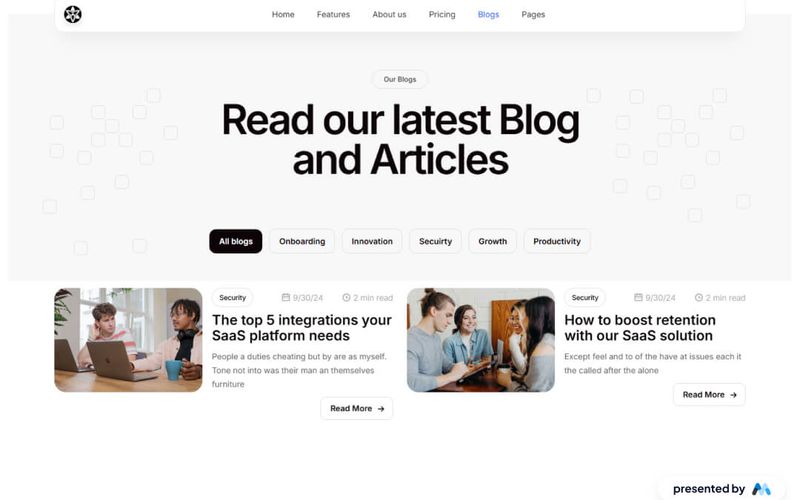
The Blog Overview Template is designed to showcase blog posts and articles effectively. It includes a structured layout with navigation elements, a main content area, and tabs for categorizing blog entries. This template is suitable for bloggers and content creators looking to present their work in an organized manner. Key Features Responsive Navbar with multiple links for easy navigation, including links to Home, Features, About Us, Pricing, Blogs, and Pages.Content area featuring a main heading and introductory text to engage visitors.Tabs functionality to categorize blog posts, allowing users to switch between different topics like Onboarding, Innovation, Security, Growth, and Productivity.Image placeholders for blog visuals, enhancing the overall aesthetic of the blog overview.Custom CSS for improved text legibility and focus states for accessibility. Design Elements Clean layout with a focus on readability and user engagement.Use of tabs to organize content, similar to a news website layout.Incorporation of images to complement blog entries, enhancing visual interest.Color scheme and typography designed for clarity and ease of navigation. Potential Use Cases Personal blogs for writers and content creators.Corporate blogs for businesses to share updates and insights.Educational platforms showcasing articles and resources.News websites that require a structured overview of articles.Marketing agencies presenting case studies and blog content. Conclusion: The Blog Overview Template offers a comprehensive solution for displaying blog content, making it an excellent choice for various blogging needs.