Key Benefits
Flexibility
Offer personalised membership lengths based on different membership/member needs.
Member Retention
Offer renewal incentives or customized renewal offers.
How to Custom Set Plan Expirations Dates
How to place a time limit on a membership plan; when the plan hits the expiration date, the customer can no longer access your content unless they renew the current plan or sign up for a new one.
Note: that it’s only possible to set an expiration on one time plans. It is not possible to set a free or recurring plan to expire at this time.
Adding a one-time price
The first step is to open your Memberstack account and select the plan which will have a time limit. Next, go to the panel on the right, open the Prices folder, and click + Add.
- FYI Click here if you're not sure how to create a paid plan.
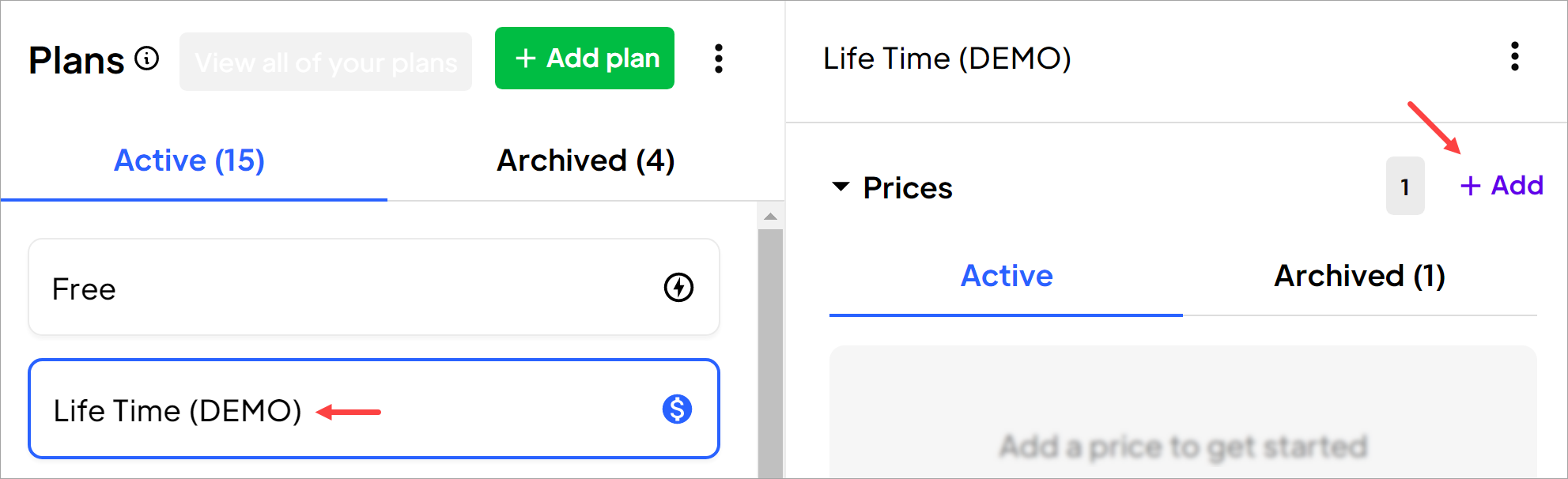
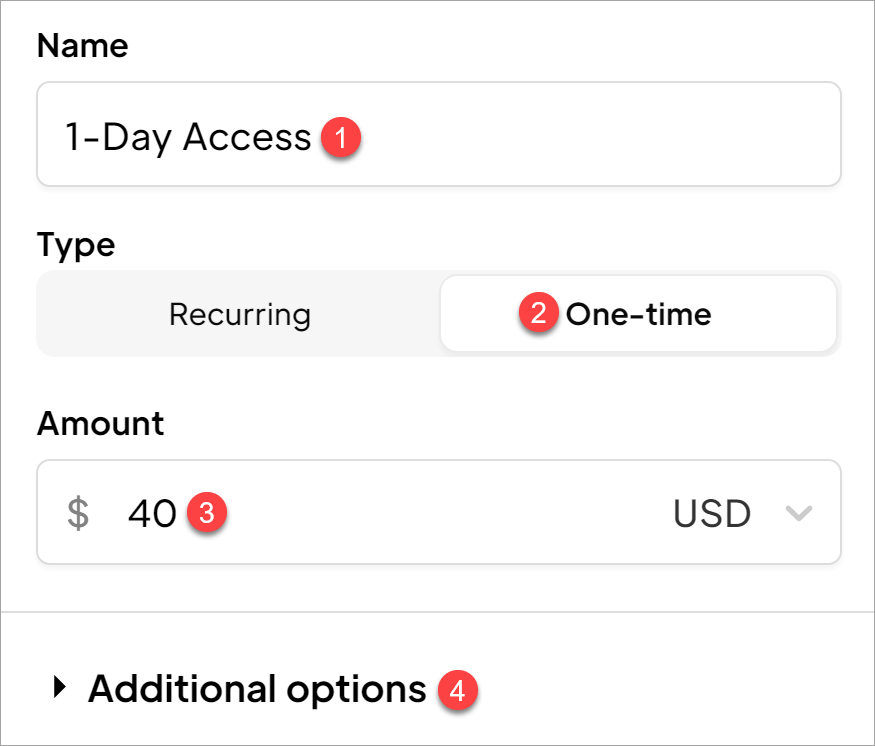
On the New Price page:
- Enter a name.
- Select One-time.
- Enter a price.
- Open the Additional options folder.
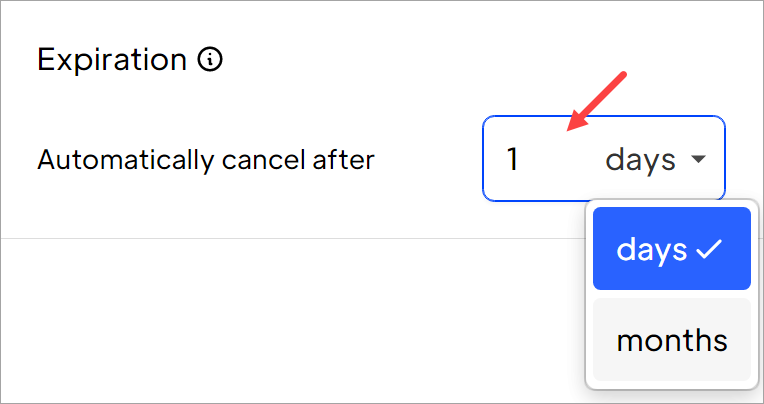
Setting a time limit
Scroll down to the bottom of the page and click the field to set the length of the plan (in days or months). Finally, go to the top of the page and click the Create price button.
That's all 🎉