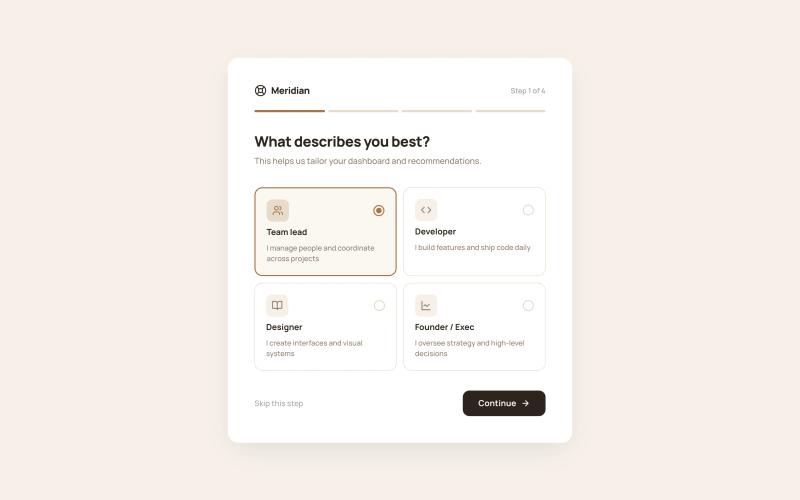
16 Components

Onboarding Components

16 Webflow native onboarding components with 1-click copy & paste from a library of 807+. Built for Memberstack integration.

Copy & Paste
100% Free
Native Webflow
Colorful Onboarding Journey
View Component
Onboarding

Colorful Onboarding Journey

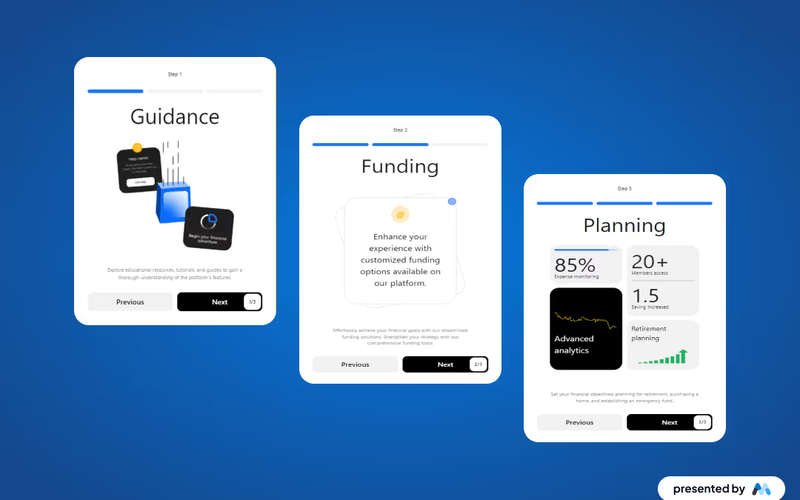
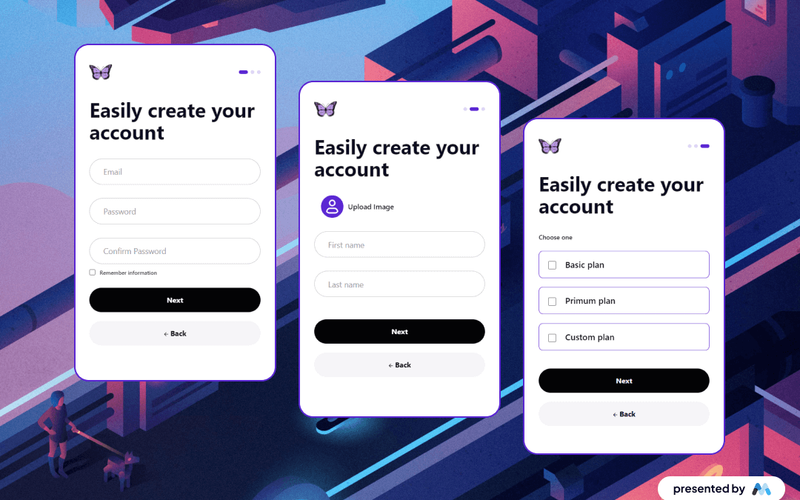
The Colorful Onboarding Journey includes streamlined user onboarding, accessible navigation, and visually appealing design. Key Features User-friendly onboardingResponsive design suitable for various devicesAccessible navigationDesign Elements: Clean and modern layout Rounded corners for a friendly appearance Flexbox for alignment and spacing of elements Consistent typography with clear headings and labels Potential Use Cases: Social media platforms for user registration Online communitiesE-commerce websites for customer account setup Educational platforms for student onboarding Conclusion: The Colorful Onboarding Journey component is versatile and can enhance user experience across various platforms by simplifying the onboarding process. ‍

Company Onboarding Form
View Component
Onboarding

Company Onboarding Form

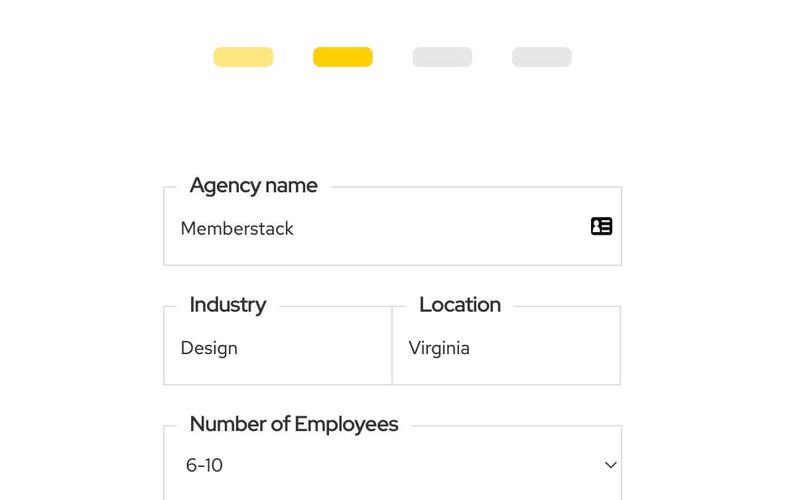
The Company Onboarding Form is designed to streamline the onboarding process for new agencies by collecting essential information through a user-friendly interface. Key Features Customizable form fields for agency name, industry, location, and number of employees.Success and error messages to enhance user experience.Responsive design suitable for various devices.Redirects to a specified URL upon successful submission. Design Elements Clean and modern layout with a focus on usability.Color scheme featuring a bright accent color for buttons and links.Flexible form fields with clear labels and placeholders. Potential Use Cases Agencies looking to onboard new clients efficiently.Businesses needing to gather information from potential partners.Startups wanting to collect data from new team members. Conclusion: The Company Onboarding Form is a versatile tool that simplifies the onboarding process, making it ideal for various businesses and agencies aiming to enhance their client engagement.

Custom Checkbox Group
View Component
Onboarding

Custom Checkbox Group

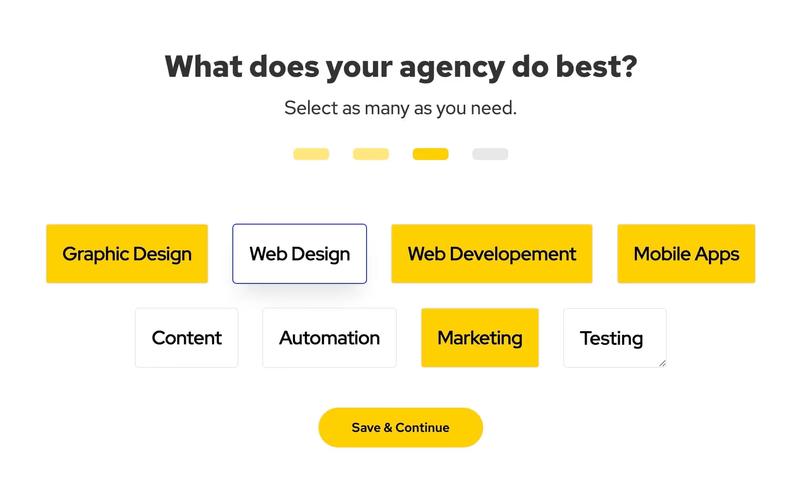
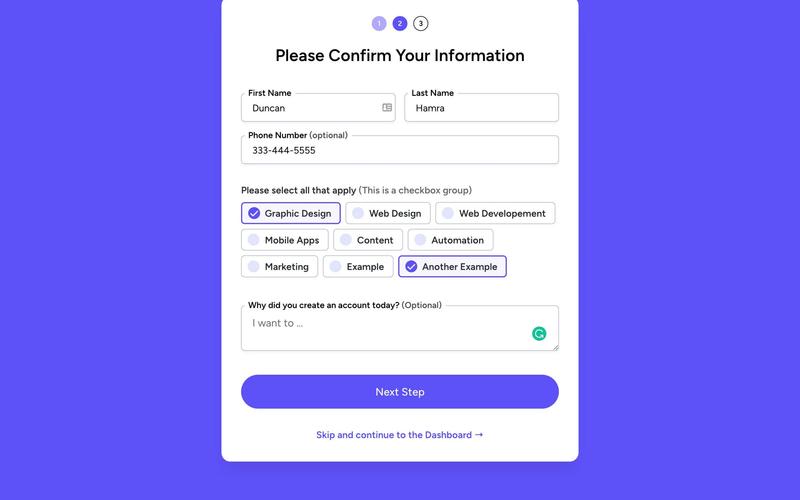
The Custom Checkbox Group is an interactive form component designed to allow users to select multiple options easily. It features a clean layout and customizable checkboxes, making it suitable for various applications. Key Features Multiple options for user selection Customizable labels for each selection Responsive design suitable for various devices Submit button with a success and error message display Design Elements: Modern and clean visual style Flexible layout with option rows and progress indicators Colorful selection backgrounds with hover effects Clear typography with distinct headings Potential Use Cases: Surveys and feedback forms for businesses Skill selection for job applications Preference settings in user profiles Event registration forms requiring multiple selections Market research questionnaires Conclusion: The Custom Checkbox Group is a versatile and user-friendly component that enhances user interaction in forms, making it an excellent choice for various applications across different industries.

Custom Onboarding
View Component
Onboarding

Custom Onboarding

The Custom Onboarding component is designed to facilitate user profile creation by guiding users through a structured onboarding process. It includes various input fields for personal information and a profile picture upload feature. Key Features User-friendly form for profile creation Image upload functionality for profile pictures Success and error message handling Responsive design suitable for various devices Design Elements Clean and modern layout with a grid structure Use of soft colors and rounded corners for a friendly appearance Flexbox for alignment and spacing of elements Consistent typography with clear headings and labels Potential Use Cases Social media platforms for user registration Online communities requiring user profilesE-commerce websites for customer account setup Educational platforms for student onboarding Conclusion: The Custom Onboarding component is versatile and can enhance user experience across various platforms by simplifying the profile creation process.

Dark Onboarding/Profile Form
View Component
OnboardingProfile

Dark Onboarding/Profile Form

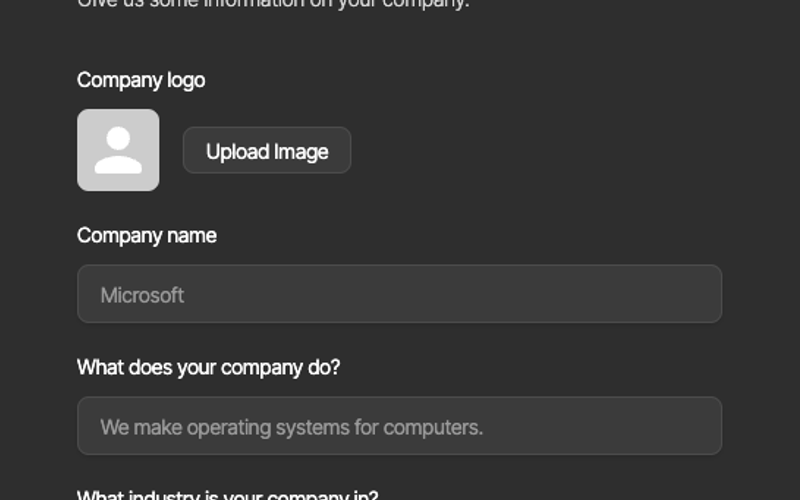
The Dark Onboarding/Profile Form is a sleek, user-friendly form designed to collect essential information from users during the onboarding process. It features a modern dark theme that enhances user experience and engagement. Key Features Responsive design suitable for various devices Customizable fields for company name, description, and industry Image upload functionality for company logos Success and error messages for user feedback Easy integration with Webflow CMS Design Elements Dark color scheme with contrasting text for readability Rounded corners and shadow effects for a modern look Clear typography with a focus on legibility Flexible layout with grid and block elements Potential Use Cases Startups looking to onboard new users efficiently Businesses in need of a professional profile collection tool Event registration forms for conferences or workshops Surveys or feedback forms for product launches User account creation forms for SaaS applications Conclusion: The Dark Onboarding/Profile Form is a versatile and visually appealing component that can enhance user onboarding experiences across various industries, making it an excellent choice for businesses aiming to streamline their user engagement processes.

Dark Sign Up Step 1
View Component
SignupOnboarding

Dark Sign Up Step 1

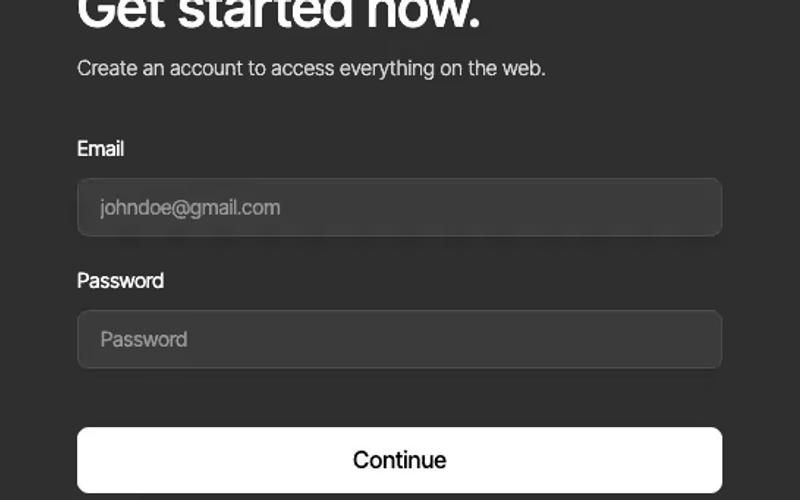
This component serves as the first step in a multi-step sign-up process, designed to capture user email and password information in a visually appealing dark theme. Key Features Multi-step form functionality Email and password input fields Google sign-in option Responsive design Success and error messages for user feedback Design Elements: Dark background with light text Rounded corners for input fields and buttons Clear progress indication (1/3)Google integration for sign-in option Smooth transitions and animations Potential Use Cases: Web applications requiring user registrationE-commerce platforms needing account creation SaaS products with multi-step onboarding Membership sites for user access management Event registration systems Conclusion: The Dark Sign Up Step 1 component is a versatile and visually appealing solution for capturing user information, making it ideal for various online platforms looking to enhance their onboarding experience.

Fitness Onboarding (Enter Info)
View Component
Onboarding

Fitness Onboarding (Enter Info)

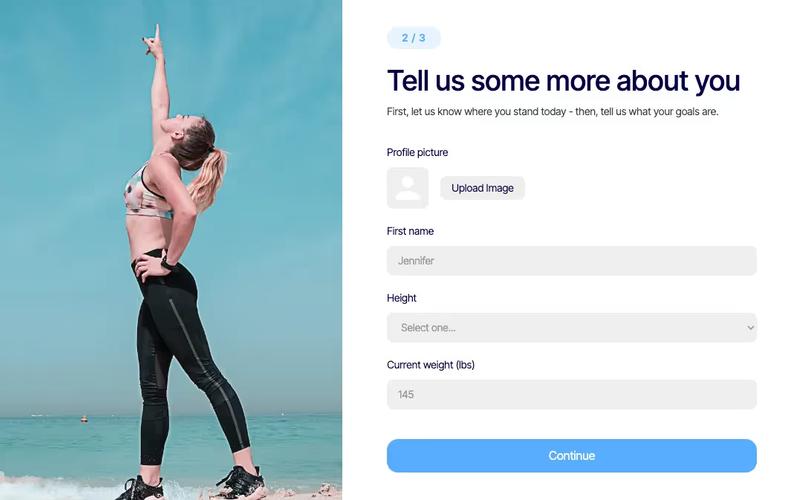
The Fitness Onboarding component is designed to streamline the process of gathering user information for fitness-related applications. It features a user-friendly form that collects essential data such as personal details, height, and weight. Key Features User-friendly form layout Collects personal information including name, height, and weight Image upload option for profile pictures Responsive design suitable for various devices Success and error messages for form submission feedback Design Elements: Modern and clean layoutFlexible grid structure for responsivenessUse of rounded corners and soft colorsPotential Use Cases: Fitness apps looking to onboard new users Health and wellness websites needing user data collection Personal trainers wanting to gather client information Gyms and fitness centers for membership registration Nutrition and diet planning services Conclusion: The Fitness Onboarding component is a versatile tool that enhances user engagement by simplifying the data collection process, making it ideal for various fitness-related applications.

Fitness Onboarding Sign Up
View Component
SignupOnboarding

Fitness Onboarding Sign Up

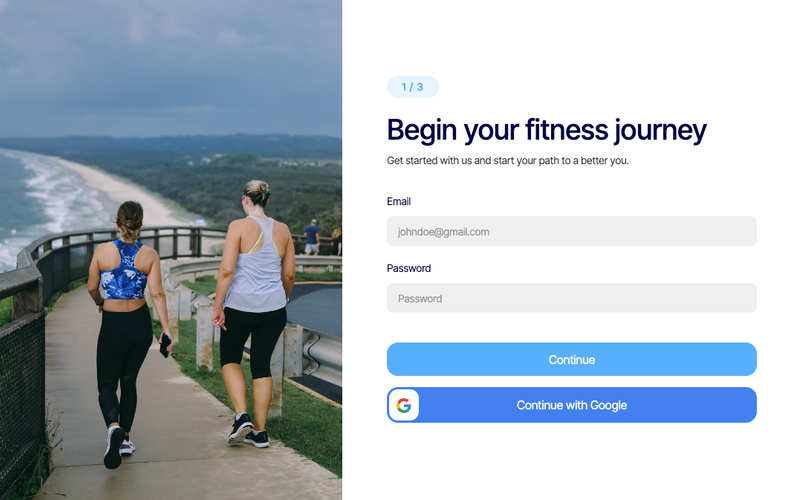
The Fitness Onboarding Sign Up component is designed to facilitate user registration for fitness programs, providing a streamlined and engaging experience for new users. It includes essential form fields for email and password, along with social login options. Key Features User-friendly sign-up form with email and password fields Social login option via Google Responsive design suitable for various devices Success and error messages for user feedback Customizable styling to match branding Design Elements Modern and clean layout with rounded corners Vibrant color scheme emphasizing fitness and health Use of images and icons to enhance visual appeal Flexbox and grid layout for responsive design Potential Use Cases Fitness studios and gyms looking to onboard new members Online fitness coaching platforms Health and wellness apps requiring user registration Corporate wellness programs offering fitness resources Community fitness challenges and events Conclusion: The Fitness Onboarding Sign Up component is a versatile and visually appealing solution for businesses in the fitness industry, effectively simplifying the user registration process while enhancing user engagement.

Futuristic Sign-Up
View Component
Onboarding

Futuristic Sign-Up

The Futuristic Sign-Up component is designed to provide an engaging and visually striking registration interface for websites. It features a clean layout with interactive elements that guide users through the sign-up process, making it suitable for various applications. This component can be easily integrated into any Webflow project. Key Features Responsive design that adapts to various screen sizes.Includes interactive elements such as hover effects on buttons.Customizable styles for headings and text to match branding.Incorporates image elements to enhance visual appeal. Design Elements Utilizes a modern layout with a focus on user experience.Employs a color scheme that emphasizes contrast and readability.Features rounded corners and shadow effects for buttons to create a soft, inviting look.Background images and icons are used to enhance the futuristic theme. Potential Use Cases Tech startups looking to create a sleek sign-up process.E-commerce platforms needing a user-friendly registration form.Online services that require user accounts for access.Event registration websites aiming for a modern aesthetic. Conclusion: The Futuristic Sign-Up component is a versatile tool for developers and designers, providing a visually appealing and functional solution for user registration needs.

Onboarding Form
View Component
Onboarding

Onboarding Form

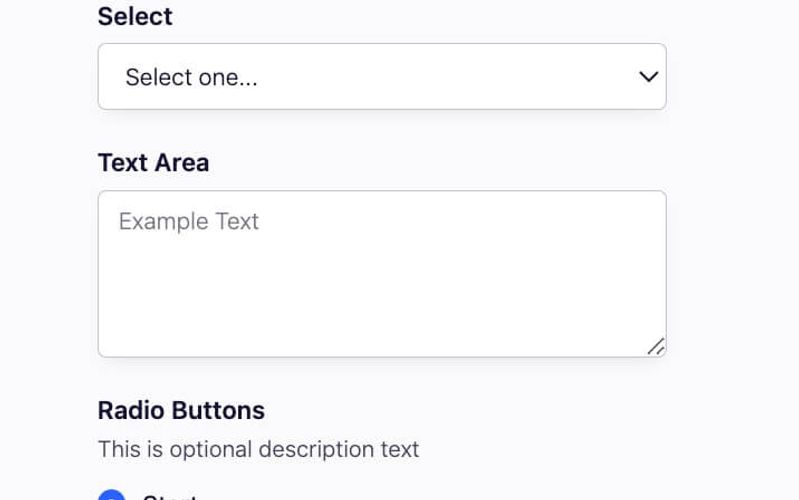
The Onboarding Form is a multi-step form designed to streamline the user onboarding process, allowing users to provide necessary information in a structured manner. Key Features Multi-step functionality for user-friendly navigation Customizable fields including text inputs, selects, text areas, radio buttons, and checkboxes Success and error messages for user feedback Redirect option after submission Responsive design suitable for various devices Design Elements Clean and modern layout Use of vibrant colors for buttons and highlights Consistent spacing and alignment for a polished look Interactive elements with hover effects Potential Use Cases SaaS companies onboarding new usersE-commerce platforms collecting customer preferences Educational institutions gathering student information Event registration forms for attendees Membership sites for user sign-ups Conclusion: The Onboarding Form is a versatile and visually appealing component that enhances user experience during the onboarding process, making it suitable for various applications across different industries.

Onboarding Form 11
View Component
Onboarding

Onboarding Form 11

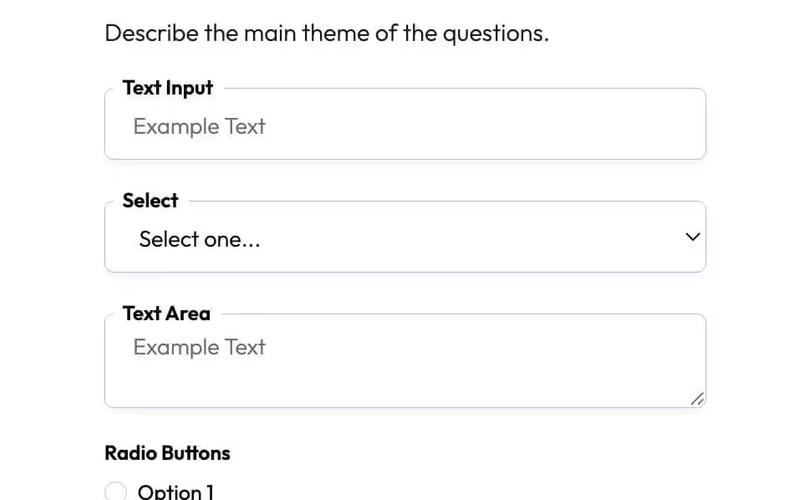
Onboarding Form 11 is a user-friendly form template designed to facilitate the onboarding process for new users. It features multiple input types and a clean layout to enhance user experience. Key Features Multi-step form structure Includes text inputs, select dropdowns, radio buttons, and checkboxes Customizable success and error messages Responsive design suitable for various devices Integrates with Memberstack for user management Design Elements: Modern and clean aesthetic Color scheme primarily in shades of blue and white Flexible layout with centered content Use of graphics for logos and icons Potential Use Cases: SaaS companies onboarding new users Educational platforms collecting student informationE-commerce sites gathering customer preferences Event registration forms for workshops or conferences Membership sites requiring user sign-up details Conclusion: Onboarding Form 11 is a versatile and visually appealing solution for businesses looking to streamline their user onboarding process, making it an excellent choice for various industries.

Onboarding Links
View Component
Onboarding

Onboarding Links

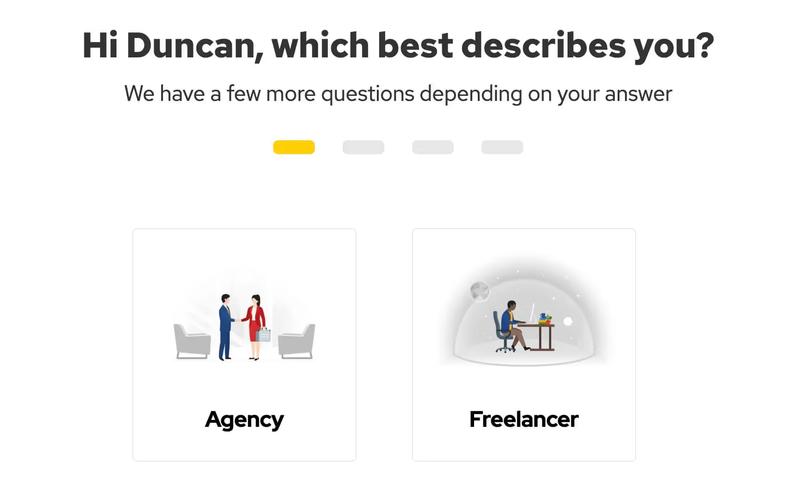
The Onboarding Links component is designed to facilitate user onboarding by guiding users through a series of questions and options based on their responses. It features dynamic content that personalizes the experience for each user. Key Features Dynamic user greeting with personalized name integration Multiple question prompts based on user selections Responsive design suitable for various devices Design Elements: Clean and modern layout with a focus on user interaction Use of images to enhance visual appeal Flexbox layout for responsive design Potential Use Cases: SaaS applications looking to improve user onboardingE-learning platforms needing guided user experiences Service-based businesses wanting to collect user preferences Mobile apps requiring user input for personalized experiences Conclusion: The Onboarding Links component is a versatile tool for enhancing user onboarding processes, making it ideal for various industries focused on user engagement and personalization.

Startup Onboarding Form
View Component
ProfileOnboarding

Startup Onboarding Form

The Startup Onboarding Form is designed to streamline the process of gathering essential information from new users or clients. It features a clean layout with various input fields and checkboxes to capture user details effectively. Key Features User-friendly form layout Includes fields for first name, last name, phone number, and optional feedback Checkbox options for selecting skills or services Responsive design suitable for various devices Success and error messages for user feedback Design Elements: Bright color scheme with a focus on blue tones Modern typography with clear headings Flexible layout with sections for easy navigation Use of icons to enhance visual appeal Potential Use Cases: Startups looking to onboard new clients or users Businesses needing to collect user information for newsletters Event organizers gathering participant details Online services requiring user registration Educational platforms enrolling new students Conclusion: The Startup Onboarding Form is a versatile and visually appealing component that can significantly enhance user engagement and data collection for various businesses.

Stepwise Registration UI
View Component
Onboarding

Stepwise Registration UI

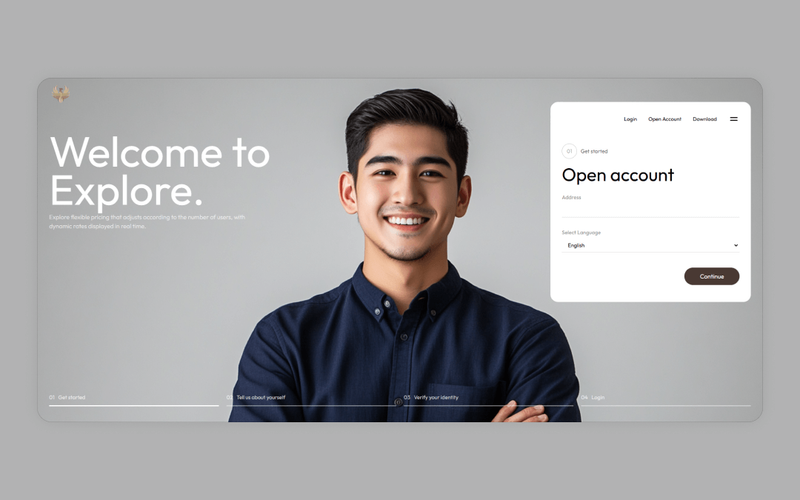
The Stepwise Registration UI is a user interface component designed to facilitate a step-by-step registration process. It includes various input fields, buttons, and visual elements to guide users through account creation or login. This component is particularly useful for applications that require user registration, such as SaaS platforms or membership sites. Key Features Multi-step registration process with clear navigation.Dynamic input fields for user data collection, including address and language selection.Responsive design that adapts to different screen sizes.Form validation messages to inform users of submission success or failure.Customizable styling options for branding. Design Elements Utilizes a clean layout with a focus on user experience.Incorporates a color scheme that enhances readability and accessibility.Includes visual cues for form focus states to improve navigation.Features a modern aesthetic with rounded buttons and input fields. Potential Use Cases SaaS applications requiring user registration.E-commerce platforms needing customer account creation.Membership sites that require user sign-up.Event registration forms for conferences or webinars.Online learning platforms for student enrollment. Conclusion: The Stepwise Registration UI is a practical component that simplifies the user registration process, making it suitable for various applications across different industries.

User Onboarding Choices
View Component
Onboarding

User Onboarding Choices

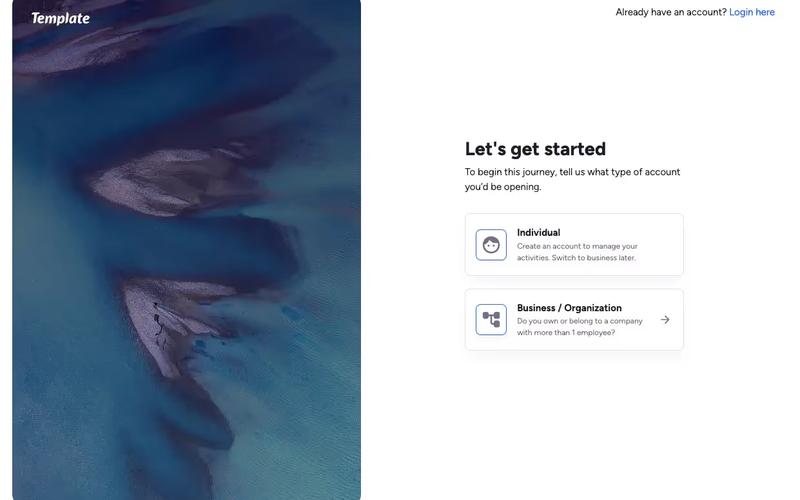
The User Onboarding Choices component is designed to facilitate user account creation by guiding users through selecting their account type. It features a clean layout with interactive elements to enhance user engagement. Key Features Interactive account type selection for individuals and businesses Responsive design suitable for various devices Includes icons for visual appeal Clear call-to-action links for account creation and login Customizable styles for branding Design Elements: Modern and minimalistic layout Soft color palette with a focus on usability Use of rounded corners and shadows for depth Graphics for logos and icons Potential Use Cases: Web applications requiring user registration SaaS platforms looking to streamline onboardingE-commerce sites needing user account management Educational platforms for student registrations Any business aiming to enhance user experience during sign-up Conclusion: The User Onboarding Choices component is a versatile tool that simplifies the user registration process, making it ideal for various online services and applications.

Welcome Modal
View Component
OnboardingUpgrade+1

Welcome Modal

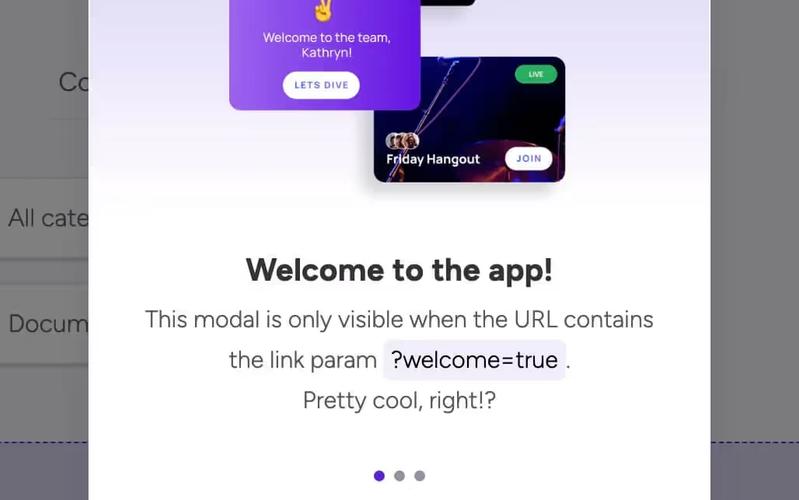
The Welcome Modal is a user-friendly component designed to greet users after they sign up. It utilizes custom code to display based on a URL parameter, enhancing user engagement. Key Features Displays after user signup based on URL parameter 'welcome='Customizable for various triggers (form submissions, logins, etc.)Includes a tutorial video for implementation Responsive design suitable for various devices Design Elements: Fixed position with a semi-transparent backgroundFlexbox layout for centered contentCustom styling for buttons and textPotential Use Cases: Web applications looking to enhance user onboardingE-commerce sites wanting to welcome new customers SaaS platforms aiming to guide users through initial setup Educational platforms introducing new users to features Conclusion: The Welcome Modal is a versatile and engaging component that can significantly improve user experience by providing a warm introduction to new users.

Showing 116 of 16 componentstagged with Onboarding

No website yet? Check out our free & paid pre-built template websites!

View templates