Dropdown Form UI

Back

Component Description(Generated by AI)

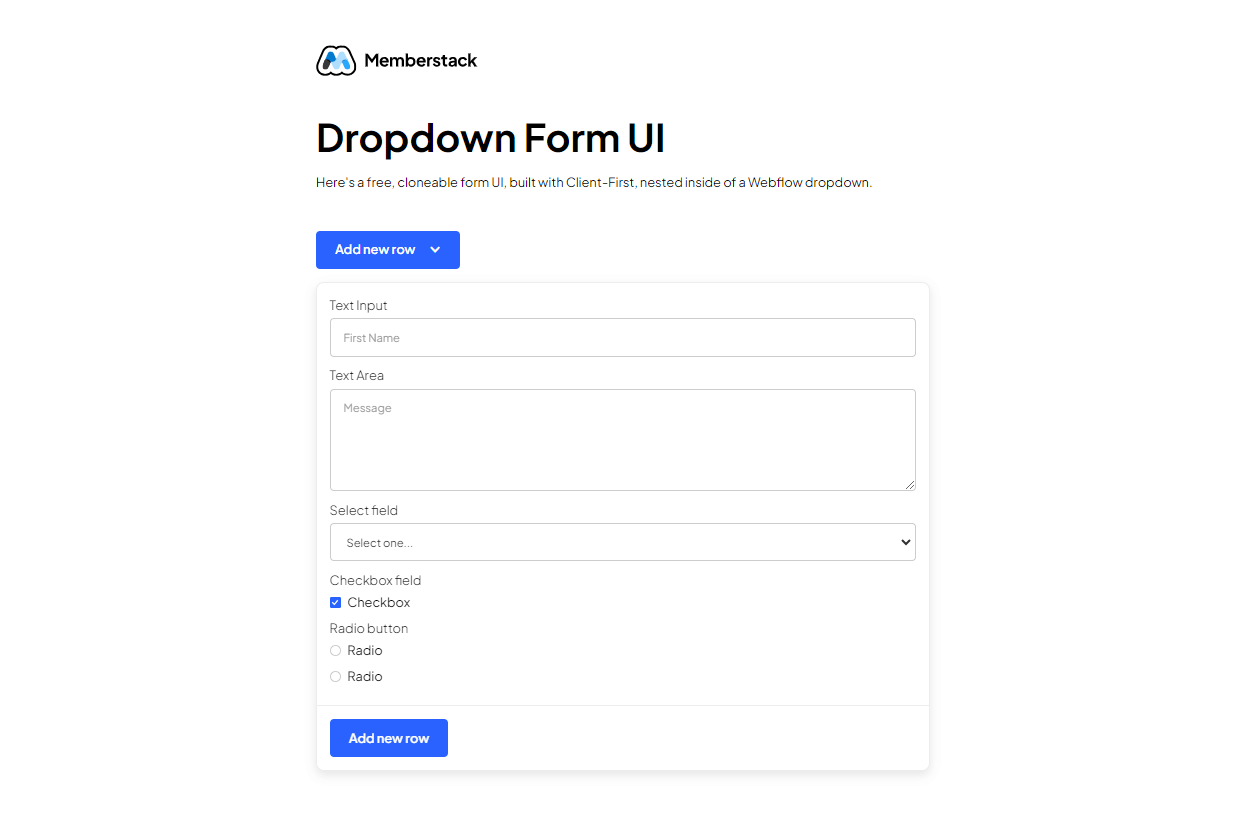
The Dropdown Form UI is a sleek and user-friendly component designed to enhance website interactivity by allowing users to submit forms through a dropdown interface. It is easily cloneable and integrates seamlessly into existing Webflow projects.

Key Features

  • Cloneable and easy to integrate
  • Built with Client-First methodology
  • Includes various input types: text fields, text areas, checkboxes, and radio buttons
  • Responsive design suitable for various devices
  • Success and error messages for user feedback

Design Elements

  • Modern and clean visual style
  • Color scheme primarily featuring white backgrounds with blue accents
  • Rounded corners and subtle shadows for depth
  • Consistent padding and spacing for a polished look

Potential Use Cases

  • Contact forms for businessesFeedback collection for websitesEvent registration formsNewsletter sign-up formsUser surveys and polls

Conclusion: The Dropdown Form UI is a versatile and visually appealing component that can significantly improve user experience on any website, making it an excellent choice for various applications.

Related Components

More components you might find useful

Profile Modal
View Component
ProfilePre-built Modals

Profile Modal

The Profile Modal is a versatile Webflow component designed for user profile management, allowing users to view and edit their personal information seamlessly. Key Features Responsive design for mobile and desktop Tabs for easy navigation between profile sections Form elements for updating user details Social media login options Success and error messages for form submissions Design Elements: Modern and clean layout Use of icons for visual clarity Flexible grid system for content arrangement Soft color palette with a focus on usability Potential Use Cases: User account management for e-commerce websites Profile settings for social media platforms Membership sites requiring user data updates Online learning platforms for course management Subscription services needing user information updates Conclusion: The Profile Modal is a highly functional and visually appealing component that enhances user experience by simplifying profile management tasks.
Custom Checkbox Buttons
View Component
Checkbox

Custom Checkbox Buttons

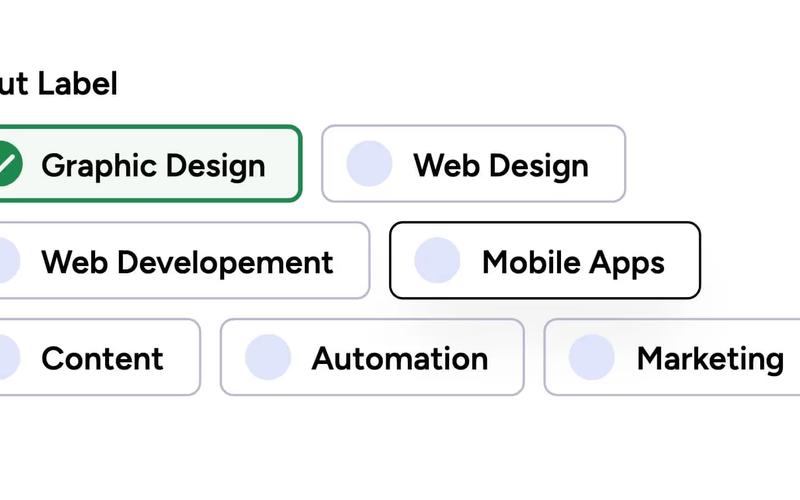
The Custom Checkbox Buttons component allows users to create a visually appealing group of checkboxes for forms, enhancing user interaction and experience. Key Features Multiple checkbox options for user selection Customizable styles and colors Responsive design suitable for various devices Includes labels for each checkbox for clarity Supports various input types and configurations Design Elements: Flexbox layout for easy alignment Custom icons for checkboxes Color scheme includes shades of green and grey Modern font styles with adjustable weights Potential Use Cases: Surveys and feedback forms for businesses Job application forms requiring skill selectionE-commerce sites for product feature selection Event registration forms with multiple options Educational platforms for course selection Conclusion: The Custom Checkbox Buttons component is versatile and user-friendly, making it an excellent choice for any web form requiring multiple selections.

Custom Checkbox Dropdown
View Component
Checkbox

Custom Checkbox Dropdown

The Custom Checkbox Dropdown is a fully customizable select field designed for Webflow, integrating seamlessly with Memberstack. It allows users to select multiple options. Key Features Fully customizable designIntegration with MemberstackMultiple selection capabilityResponsive and user-friendly interfaceDesign Elements: Modern and clean aesthetic Soft color palette with shades of green and white Rounded corners and subtle shadows for depth Interactive dropdown toggle with smooth animations Potential Use Cases: E-commerce websites for product filtering Surveys and feedback forms for data collection Event registration forms requiring multiple selections Portfolio sites for selecting project categories Membership sites for user preferences Conclusion: The Custom Checkbox Dropdown is a versatile component that enhances user experience through its customizable features and seamless integration, making it suitable for various applications across different industries.

Custom Multi-Select Input
View Component
Checkbox

Custom Multi-Select Input

The Custom Multi-Select Input is a versatile form component that allows users to select multiple options. It is designed to enhance user interaction and streamline data collection. Key Features Supports multiple selectionsCustomizable styles for brandingResponsive design for various devicesDesign Elements: Flexbox layout for easy alignment and spacing Soft color palette with a light background and contrasting text Rounded corners and subtle borders for a modern look Hover effects for enhanced user experience Potential Use Cases: E-commerce sites for product customization options Surveys and feedback forms requiring multiple responses Event registration forms with selectable activities Real estate listings for selecting property features Conclusion: The Custom Multi-Select Input is a highly adaptable component that can improve user engagement across various applications, making it an excellent choice for designers and developers looking to enhance their forms.