Email Campaigns
Send beautifully designed campaigns to your members without leaving Memberstack — newsletters, announcements, and re-engagement emails.
Create member accounts directly from your Memberstack dashboard. Assign plans, set passwords, onboard VIPs. Useful for migrations, beta launches, and hands-on member management.
Core Benefits
Skip the signup form. Create accounts, assign plans, and manage members directly from your Memberstack dashboard.
Some members shouldn't go through a self-serve signup. Invite-only programs, beta testers, early adopters. Create their accounts, assign the right plan, and send them their credentials directly.
Sarah Chen
Beta Tester · Pro Plan
Member locked out? Wrong plan assigned? Payment glitch during registration? Add or re-create their account from the dashboard in seconds. No back-and-forth with support tickets.
Add a free plan, swap to a paid one, or remove access entirely. All plan changes happen in the same Members section — no need to jump between tools.
Add, remove, or swap plans in seconds
How It Works
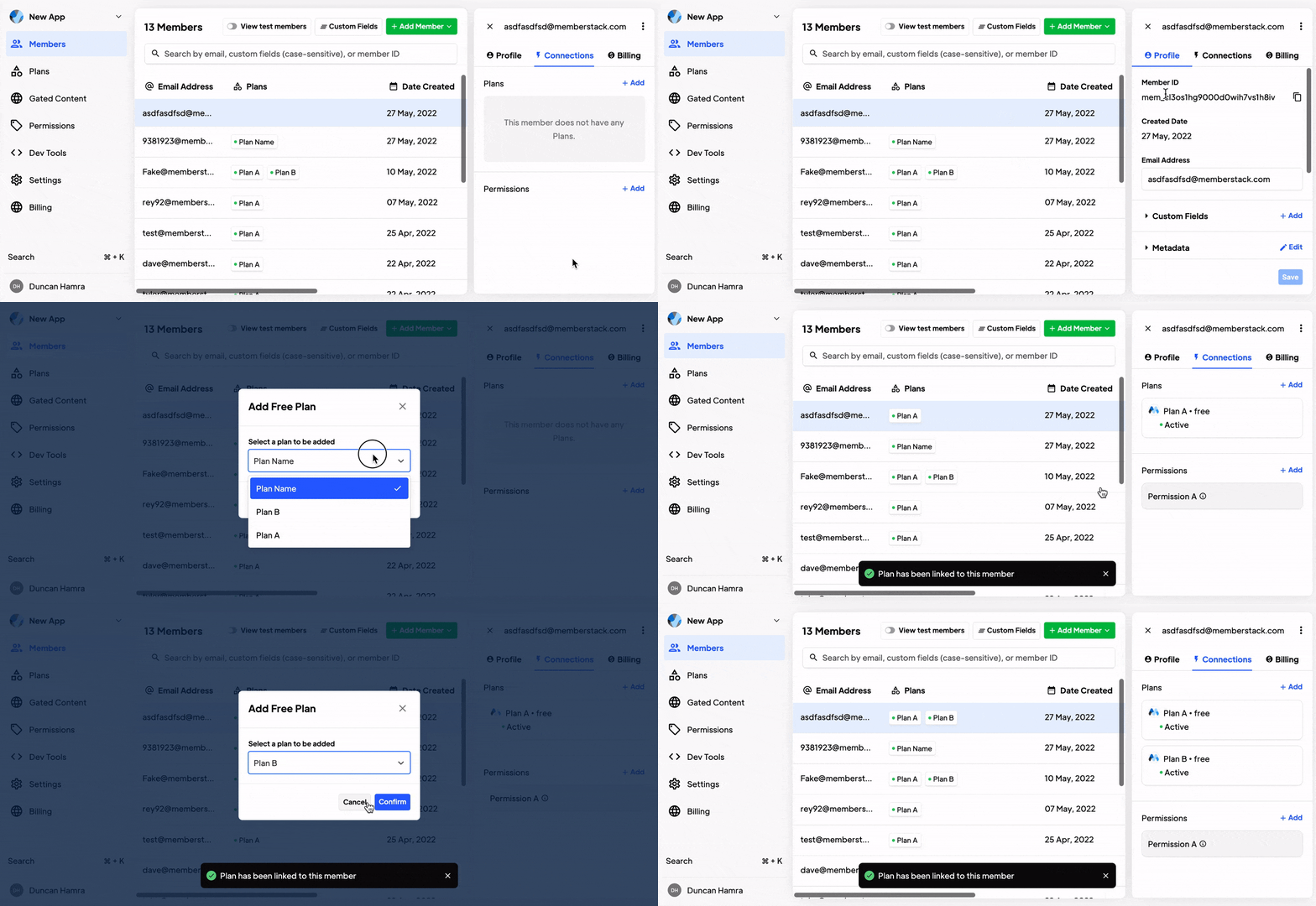
Add free plans, remove plans, swap paid plans, or assign new ones. Everything happens in the Members section.
Add a Free Plan
Navigate to a member's profile, go to Plans & Connections, click "Add," and choose the plan from the dropdown. Done in seconds.
Remove a Free Plan
Click on the assigned plan, select "Remove," and confirm. No complicated workflows — just straightforward member management.
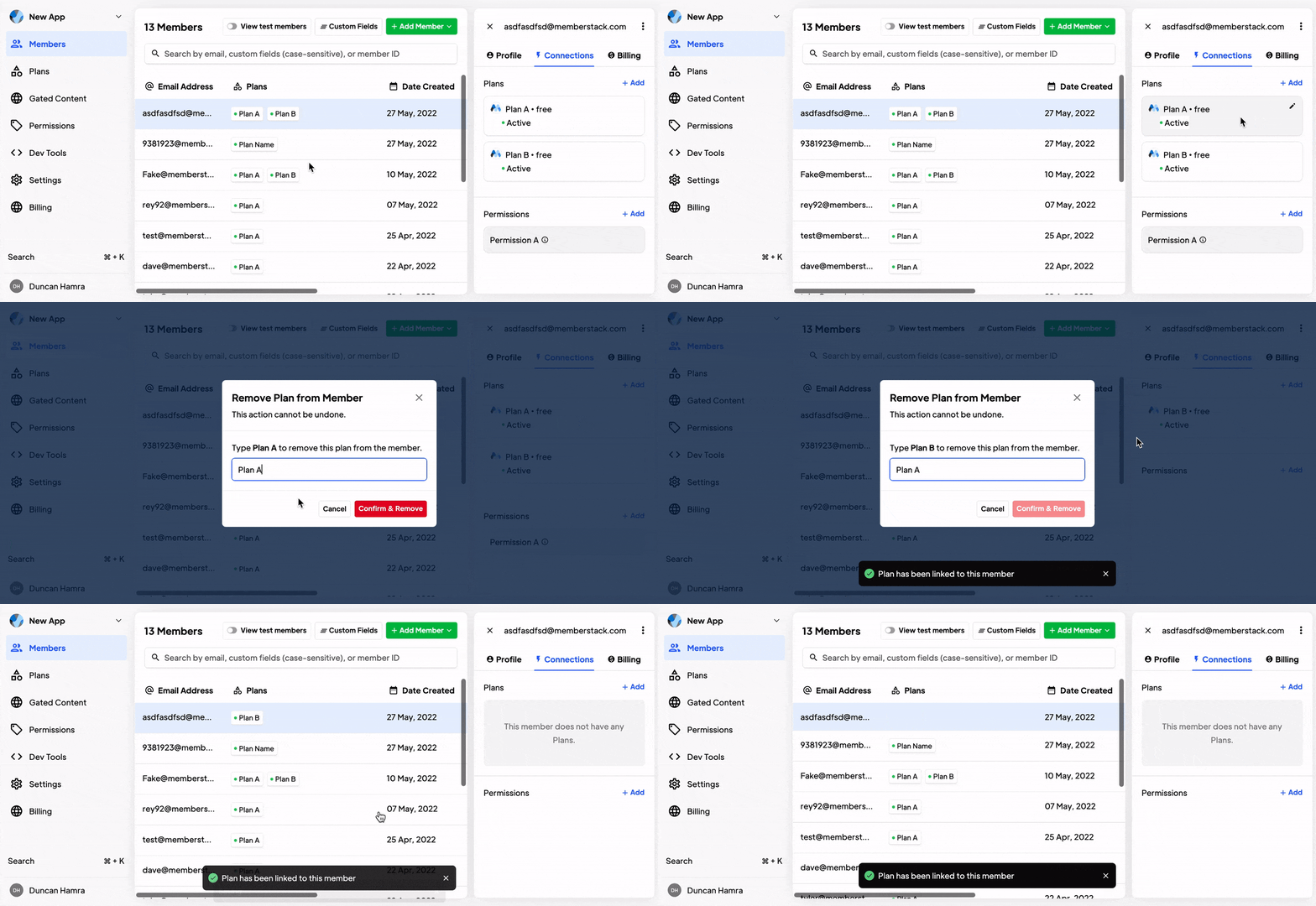
Swap Paid Plans
For paid plans connected to Stripe, manage subscriptions directly. Add new products, remove old ones — all from the Stripe subscription interface.
Add a Paid Plan
When a member needs a paid plan added directly, use the Stripe integration to attach the subscription to their account without requiring them to go through checkout.
Use Cases
Create accounts for your first 50 users before opening public signups.
Moving from WordPress, Memberspace, or another tool? Import your member list and assign plans in bulk.
Agencies can set up client team accounts before the site goes live.
Give sponsors, partners, or speakers immediate access without sending them through a registration flow.
Everything you need to know about Memberstack. Can't find what you're looking for? Reach out to our team.
No. Memberstack doesn't auto-notify manually added members. You'll need to share their credentials directly.
Yes. You can select any active plan during member creation. You can also leave it blank and assign one later.
Yes. Navigate to the member's profile, go to Plans & Connections, and add, remove, or swap plans. Free plan changes happen instantly. Paid plan changes are managed through your Stripe integration.
Create member accounts, assign plans, and manage your community directly from the Memberstack dashboard. No signup form required.