Client Side Packages
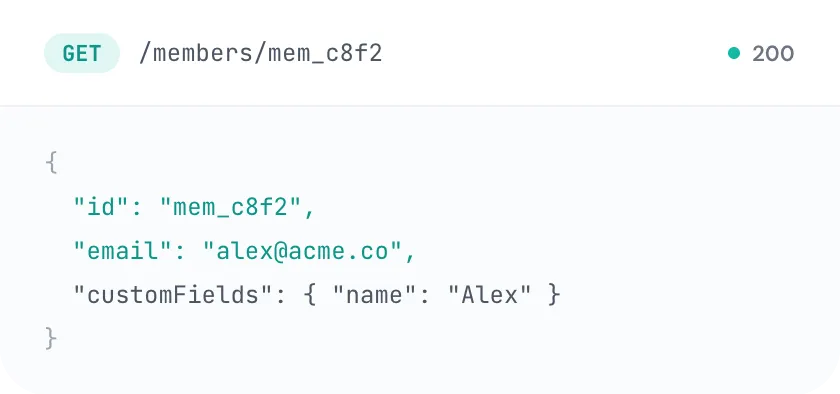
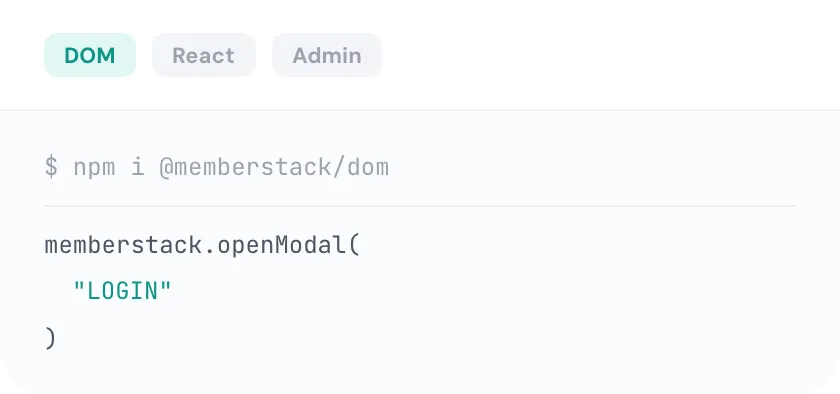
DOM package, easily access and use prebuilt UI components or just use functions to build your own UI's. React package, use our react specific package for an even easier integration.
Test Mode lets you build and break things safely — with fake members and sandbox payments. And the in-browser inspector now triages your whole setup: it points at the exact bad value, suggests the fix, and tracks your go-live readiness as you click through your Webflow site.
Every app starts in Test Mode — free until you launch.
Go-live readiness
Signup form connected — 2 plans detected
Price ID prc_basic not found.
Did you mean prc_basic_monthly?
Gated content verified on 4 pages
Ask Rey how to fix this
Open your site in Test Mode and the in-browser inspector audits your Memberstack setup where it actually runs.
The new Overview tab triages your setup at a glance and tracks findings across pages as you navigate — so you know exactly what's left before launch.
The inspector points at the exact bad value: it suggests valid plan and price IDs, flags custom-field key typos with a “did you mean…”, and reality-checks your gating.
A searchable list of every SDK method with copy-paste snippets and open-in-Playground links. Custom-code sites get this instead of an empty inspector.
Turn any finding into AI guidance in one click — with SDK-aware tips and per-method Playground links, so the fix is never a docs hunt away.
Test signups, logins, and payments with test members and test transactions — test and live mode are fully separate environments, so nothing touches your real members.
Refreshed theming with dark mode, cleaner badge, and animations — and the inspector is isolated from your site's CSS so it looks right everywhere.
Test Mode is how confident launches happen.
Every Memberstack app starts in Test Mode. Sign up test members, run test payments, and break things freely — test mode is a separate environment from your live members.
Open your Webflow site and the inspector rides along, auditing forms, plans, gating, and attributes on every page you visit.
Each finding names the exact value to change and suggests the fix — or hand it to Rey for AI guidance with copy-paste snippets.
When the readiness checklist is green, switch to Live Mode and launch with real members and real payments — no surprises.
From Webflow designers to AI-native founders, see why thousands choose Memberstack to power their memberships.
Great service - I am very impressed by how easy it is to integrate their service into an existing site.

Steve Coleman (scole)
co-founder
This is a huge leap forward to the no-code movement. Eager to see it grow. Duncan is on to something really huge... I said it first.

Tayler Freund
UI UX Designer @ Pixel
Memberstack made Webflow twice as valuable for me. The docs for using Memberstack are extremely well done. Setting up Memberstack is so smooth.

Thomas Boosinger
CEO at MyAIScholar
Awesome service by the Memberstack team. I recently implemented my first site with paid memberships and gated content - Super easy.

Tim Daff
Website Designer
I love Memberstack and use it regularly. It's an amazing product, thank you so much :)

Tony Maguire
getstreak.com
Great site , Easy to navigate , Good customer service - The site is easy to navigate and customer service is knowledgable and quick to respond.

Tracy Schneider
Owner, MySpaList
For me I have used Memberstack for more than 4 client projects and the reason is because of the community behind it.
Tsaaid
Freelance software engineer
Wow, shoutout @MemberstackApp for some truly accommodating, generous, awesome customer service.

Dan Pierson
I'm amazed at what you folks have created. Awesome product, great customer experience...and with a small team. Keep up the great work!

Keith
Thanks for your help and your amazing product! You have a good impact on the no-code industry :)

Gabriel Amzallag
Memberstack has allowed us to think outside the box with our website and with our business.

Sam Naus
Designer & Visual Artist.
Good software to manage user accounts. From their Integrations, to their support team, an pricing.

Saurabh Singh
Talent Acquisition
Everything you need to know about Memberstack. Can't find what you're looking for? Reach out to our team.
Every Memberstack app starts in Test Mode — a sandbox where you can sign up test members, run test payments, and experiment freely. Test mode and live mode are fully separate environments with separate members and API keys. When you're ready, flip to Live Mode and launch.
As you browse your site in Test Mode, the in-browser inspector audits your Memberstack setup where it runs: signup and login forms, plan and price IDs, custom-field keys, data attributes, and content gating. Findings are tracked across pages in a go-live readiness checklist on the Overview tab.
Very. The inspector points at the exact bad value and suggests the fix — valid plan and price IDs when one doesn't exist, a “did you mean…” for custom-field key typos, and a reality check on gating rules.
Yes. Custom-code and non-attribute sites get the SDK Methods Explorer — a searchable list of every SDK method with copy-paste snippets and open-in-Playground links — instead of an empty inspector.
Any finding can be turned into AI guidance in one click. Rey, Memberstack's AI assistant, picks up the finding with SDK-aware tips and per-method Playground links so you can go from “something's wrong” to a working fix fast.
No. The inspector is isolated from your site's CSS, so it renders consistently on any site — and it ships with refreshed theming, including dark mode.
Break things in the sandbox, let the inspector catch what you missed, and flip to live when the checklist is green.