Editorial Navbar

Back

Component Description(Generated by AI)

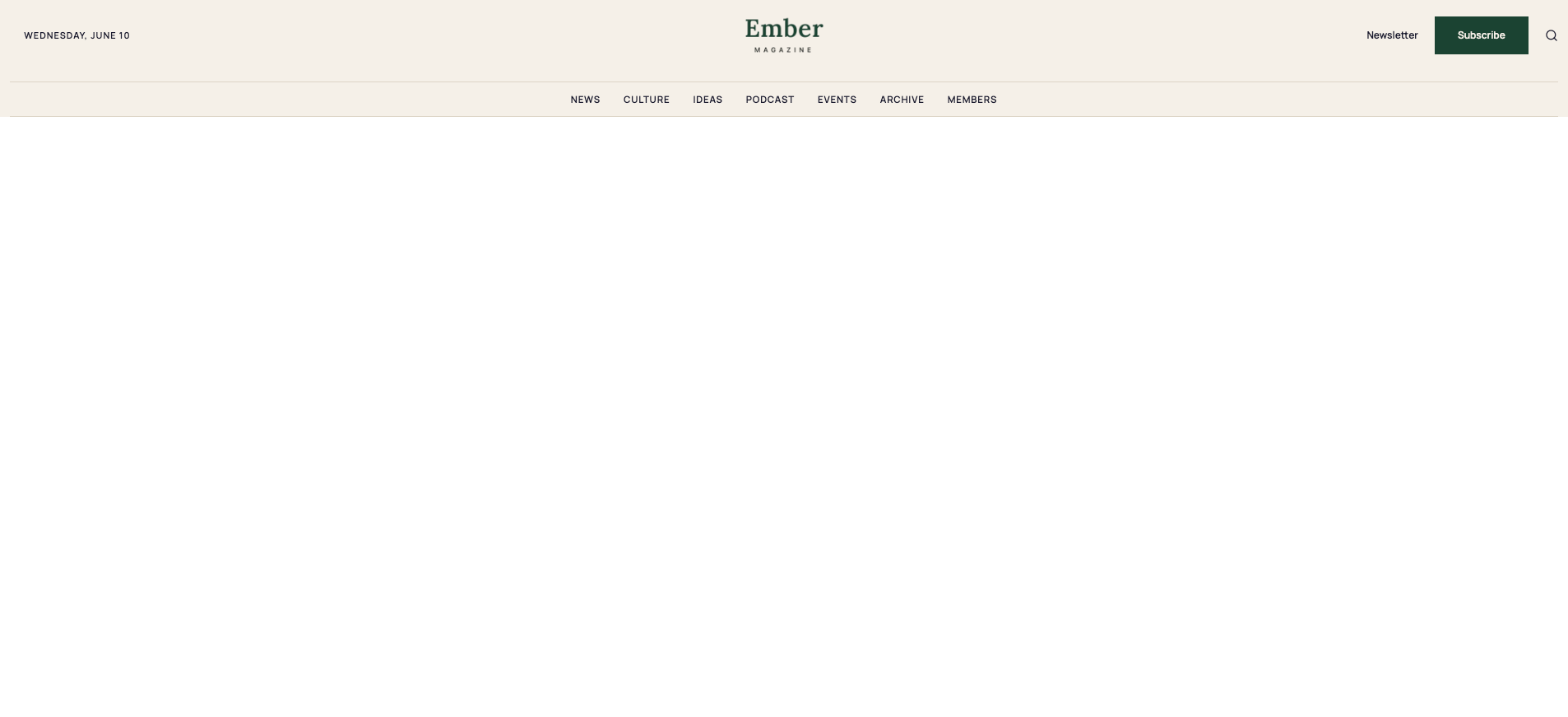
The Styled Editorial Nav Magazine Layout delivers a two-row newspaper-style navigation designed for editorial, blog, and magazine membership sites. The top row features a hamburger menu, a live date indicator with dot accent, a centered logo, a Newsletter text link, a Subscribe CTA, and a search icon. The bottom row provides a horizontal section navigation strip with category links and chevron indicators. The component uses Memberstack visibility attributes to show Subscribe and Log in CTAs only to non-members, making it ready for gated content sites out of the box.

Potential Use Cases

  • Membership-based publications and digital magazines.
  • Blog platforms with category-based content sections.
  • Newsletter sites with subscriber-only content areas.
  • Editorial platforms using Memberstack for gated articles and member-only sections.
  • Media sites needing a newspaper-style masthead navigation.

Related Components

More components you might find useful

Dark Gradient Pricing
View Component
Marketing UI

Dark Gradient Pricing

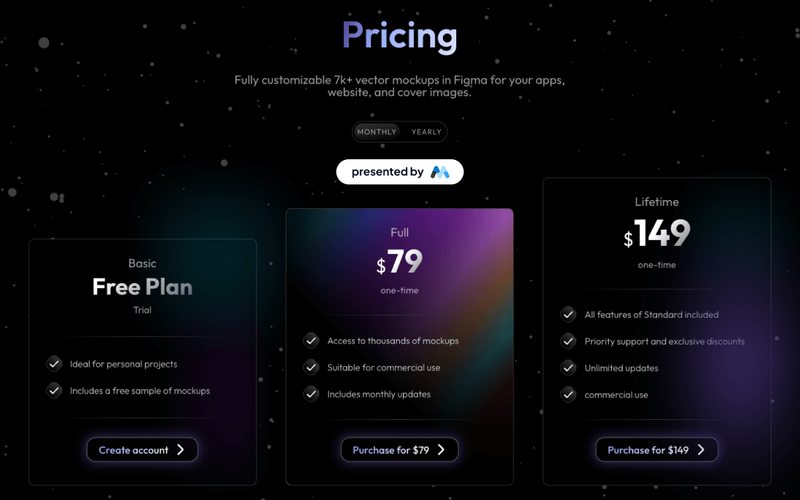
This component offers a visually appealing pricing table with flexible plans, including a free basic option and a one-time lifetime purchase, ideal for showcasing various pricing tiers. Key Features Multiple pricing plansResponsive design suitable for various devicesInteractive tabs for easy navigation between pricing optionsDesign Elements: Dark gradient background with a modern aesthetic Clear typography with varying font sizes for emphasis Use of icons to enhance visual appeal Hover effects for interactive elements Potential Use Cases: Startups looking to present their subscription models Freelancers offering design services with tiered pricingE-commerce websites needing a clear pricing structure SaaS companies showcasing different subscription plans Creative agencies promoting their design assets Conclusion: The Dark Gradient Pricing component is a versatile and visually striking solution for any business needing to present pricing options clearly and attractively.

Styled Mega Nav – Product Menu
View Component
NavbarsMarketing UI

Styled Mega Nav – Product Menu

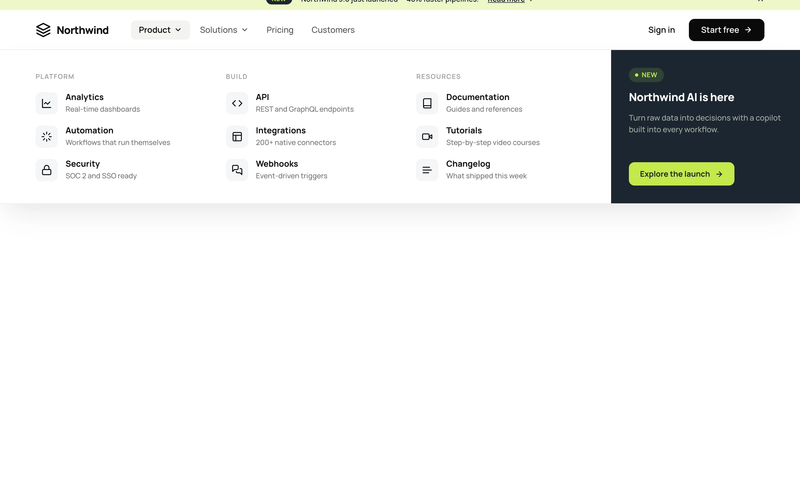
The Styled Mega Nav – Product Menu component provides a production-ready mega navigation bar with a full-width dropdown panel organized into three icon-led link columns. It pairs a dark featured promo panel (with badge and CTA) alongside categorized link groups for Platform, Build, and Resources. The navbar includes an announcement bar with a dismissible banner, a left-heavy layout with dropdown chevrons, and a compact mobile state. This component is a free resource for Webflow developers building SaaS, membership, or product sites. Key Features Three-column icon-led link grid with titles and descriptions per link row. Dark featured promo panel with "NEW" status badge and accent CTA button. Announcement bar with inline link, badge pill, and close icon. Left-heavy navbar layout with logo and nav links clustered together, CTA isolated right. Dropdown chevron indicators on trigger nav items with active pill state. Mobile-responsive hamburger menu state. Potential Use Cases SaaS platforms with multiple product areas needing organized navigation. Membership sites with documentation, tutorials, and resource sections. Product-led companies requiring a featured launch or announcement in the nav. Marketing sites that need an announcement banner above the navigation.

Styled Platform Nav – Mega Menu with CTA Card
View Component
NavbarsMarketing UI

Styled Platform Nav – Mega Menu with CTA Card

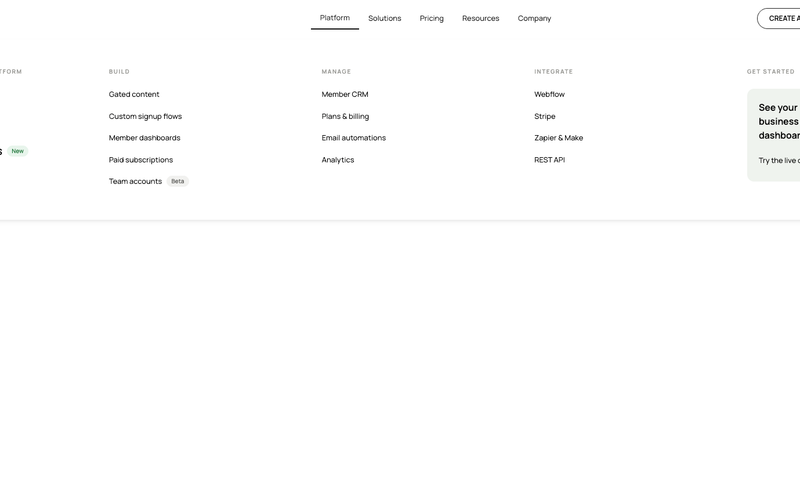
The Styled Platform Nav – Mega Menu with CTA Card component is a production-ready SaaS navigation bar with a five-column mega menu dropdown. The Platform dropdown organizes links into four categorized columns (The membership platform, Build, Manage, Integrate) plus a dark CTA card column with a live demo prompt. The navbar includes standard nav links (Solutions, Pricing, Resources, Company), member-aware auth buttons (Create account, Log in), a cart icon, and a Lottie-animated hamburger menu for mobile. Memberstack visibility attributes control auth button display based on login state. Key Features Five-column mega menu dropdown under the Platform nav item: Lead column: "The membership platform" with primary pages (About, How it works, Member portals) and a "New" badge. Build column: feature pages (Gated content, Custom signup flows, Member dashboards, Paid subscriptions, Team accounts) with a "Beta" badge. Manage column: operational pages (Member CRM, Plans & billing, Email automations, Analytics). Integrate column: integration pages (Webflow, Stripe, Zapier & Make, REST API). CTA column: dark card with headline ("See your membership business in one dashboard"), action label ("Try the live demo"), and arrow icon. Text-based logo ("stackly") on the left for brand-first hierarchy. Standard nav links (Solutions, Pricing, Resources, Company) alongside the mega dropdown. Right-side button group with Create account and Log in buttons, plus a cart icon with SVG. Memberstack data-ms-content="!members" attributes on auth buttons for conditional visibility. Lottie-animated hamburger icon with JSON-driven three-line animation for mobile. Mobile menu includes full-height nav with stacked links and dual CTA buttons. Potential Use Cases SaaS platforms with multiple product areas, integrations, and management features. Membership platforms built on Webflow + Memberstack needing organized feature navigation. Product-led companies with build, manage, and integrate sections in their information architecture. Marketplace or e-commerce membership sites needing a cart icon alongside auth controls. Any platform site that needs a mega menu with a promotional CTA card built into the dropdown.
Black And White Navbar
View Component
Navbars

Black And White Navbar

The Black And White Navbar is a sleek and modern navigation component designed for websites seeking a minimalist aesthetic. It features a sticky position and a clean layout that enhances user experience. Key Features Sticky positioning for consistent visibility Customizable links for easy navigation Includes a brand logo area Responsive design suitable for various screen sizes Animation effects for menu interactions Design Elements Monochrome color scheme with black and white Flexbox layout for alignment and spacing Rounded button styles for a modern touch Simple and clean typography Potential Use Cases Corporate websites looking for a professional look Personal portfolios that emphasize simplicityE-commerce sites needing straightforward navigation Blogs that prioritize content readability Landing pages for marketing campaigns Conclusion: The Black And White Navbar is a versatile and stylish component that can enhance the usability and aesthetic of various types of websites, making it an excellent choice for designers and developers alike.