Split Screen Onboarding

Back

Component Description(Generated by AI)

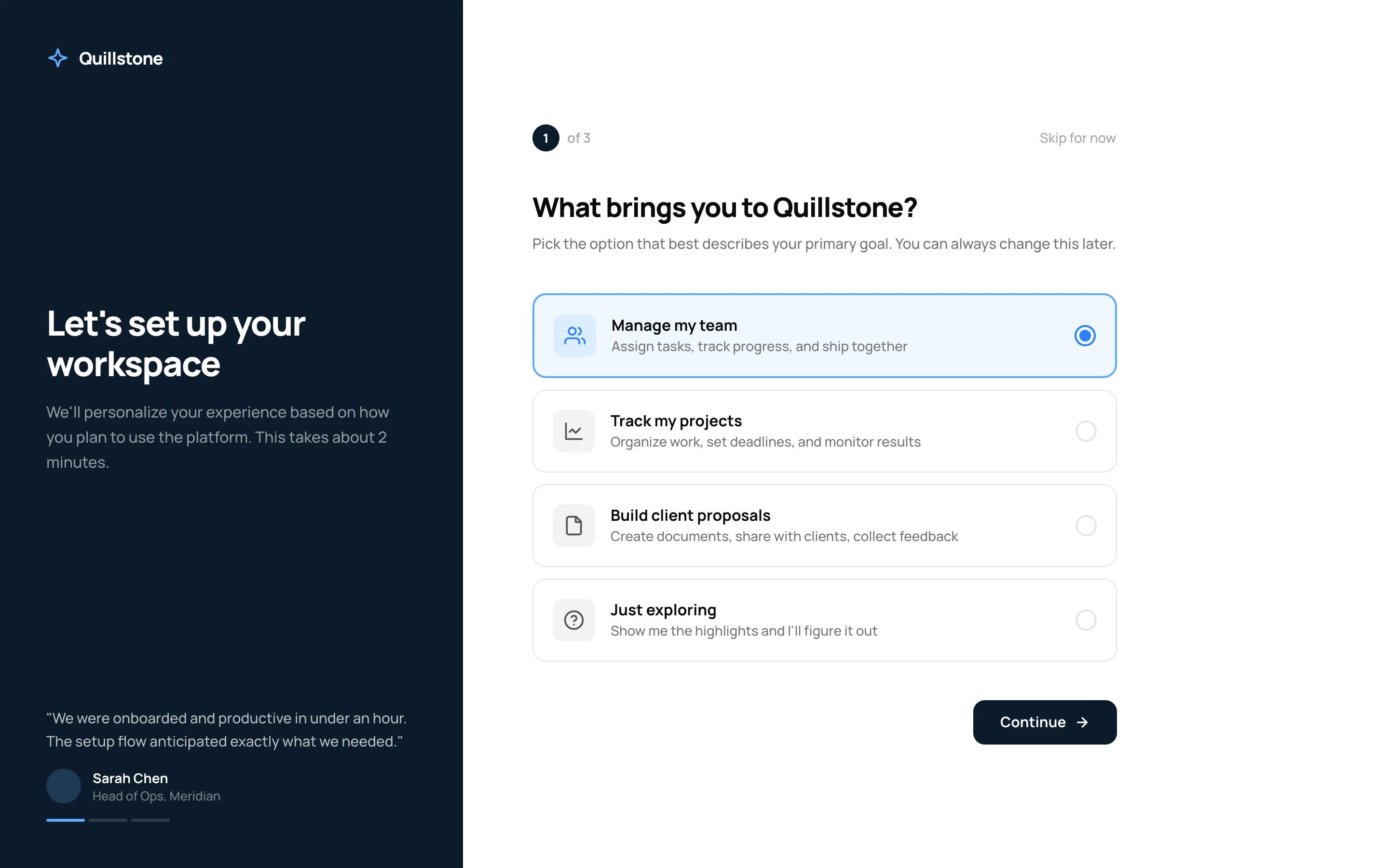
The Styled Onboarding – Split Screen Flow component is a 3-step onboarding experience using a split-screen layout. The left panel features brand messaging with rotating testimonials and progress dots that update across steps.

The right panel contains the form content — goal selection, workspace setup, and profile completion. Each step is designed as a separate Webflow form that submits and redirects to the next step via URL hash, making it fully compatible with Webflow's native form handling and Memberstack custom fields.

Key Features

  • Step 1: Goal selection with four radio card options (Manage team, Track projects, Build proposals, Just exploring), each with icon tile, title, and description.
  • Step 2: Workspace name text input, role dropdown selector, and team size pill buttons (Just me, 2–10, 11–50, 51–200, 200+).
  • Step 3: Profile completion with circular avatar upload area, first/last name fields, company input, and short bio textarea with character counter.
  • Left branded panel with rotating testimonials, author attribution, and step-synced progress dots.
  • Back navigation on steps 2 and 3, "Skip for now" option on every step.
  • Final step CTA changes from dark "Continue" to accent-colored "Launch workspace" to signal completion.

Potential Use Cases

  • Membership platforms requiring new member goal setting and personalization.
  • SaaS products with workspace setup flows after registration.
  • Client portals needing profile completion during onboarding.
  • Course platforms collecting learner preferences before content delivery.
  • Any Memberstack-powered site needing multi-step post-signup data collection.

Related Components

More components you might find useful

Unstyled Profile Form
View Component
ProfileUnstyled

Unstyled Profile Form

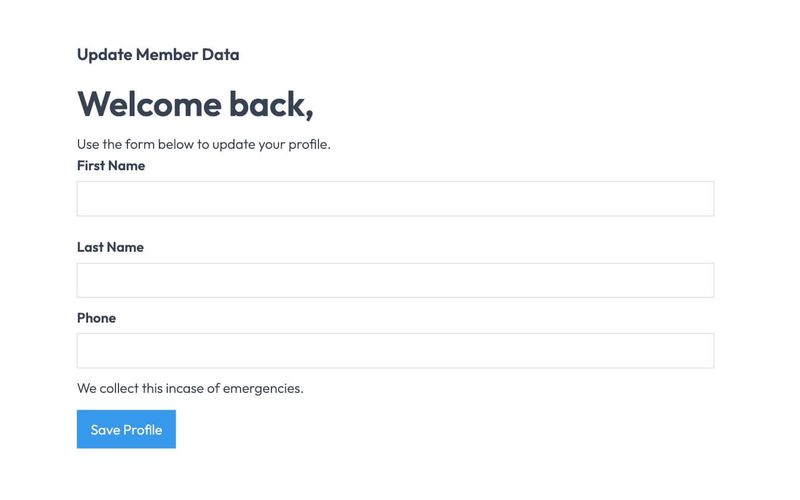
The Unstyled Profile Form is a simple and functional form designed for users to update their profile information. It includes fields for first name, last name, and phone number, along with success and error messages. Key Features Customizable fields for first name, last name, and phone number Success message upon successful submission Error message for submission failures Lightweight and easy to integrate into existing designs Design Elements Minimalist design with no predefined stylesFlexbox layout for form elementsResponsive design suitable for various screen sizes Potential Use Cases User profile management for web applications Membership sites requiring user information updatesE-commerce platforms for customer account management Community forums for user profile editing Conclusion: The Unstyled Profile Form offers a straightforward solution for user profile updates, making it versatile for various applications while allowing for easy customization to fit different design aesthetics.
Card Wizard Onboarding Flow
View Component
Onboarding

Card Wizard Onboarding Flow

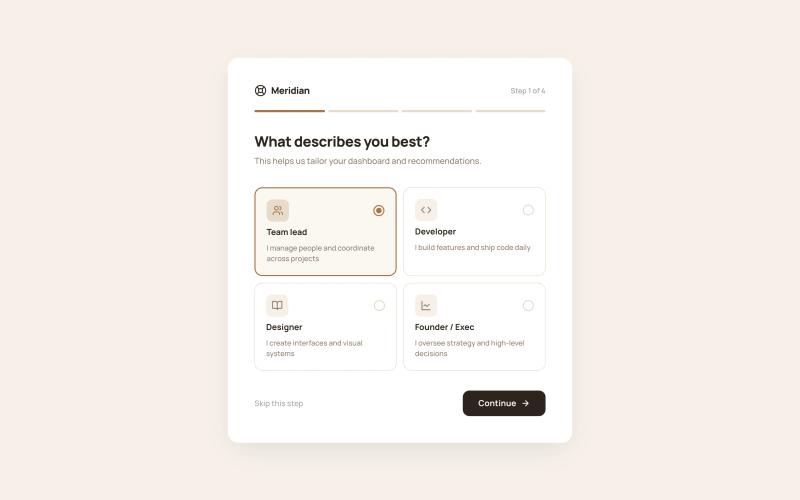
The Styled Onboarding – Card Wizard Flow component is a 4-step onboarding wizard presented as a centered card on a tinted background. A horizontal progress bar fills across all four steps, providing clear advancement feedback. Each step collects different types of input — role selection, interest tagging, referral source tracking, and a completion screen with next-action cards. All selections are designed to map directly to Memberstack custom fields via standard Webflow form elements. Key Features Step 1: Role selection via 2×2 icon card grid (Team lead, Developer, Designer, Founder/Exec), each with icon tile, title, description, and radio indicator. Step 2: Interest selection via multi-select tag chips (11 topics) with check icon on selected state and "3 selected · Choose at least 2" counter. Step 3: Referral source via icon-led radio list (Google search, Social media, Friend/colleague, Blog/article, Other) with single-select behavior. Step 4: Success completion screen with checkmark icon, congratulatory heading, two next-action cards (Go to dashboard, Browse templates), and full-width accent CTA. Horizontal 4-segment progress bar fills with accent color as steps advance. Potential Use Cases SaaS products collecting user role and interest data for personalized dashboards. Membership platforms tracking referral sources for attribution. Online communities gathering topic preferences for content recommendations. Any Webflow + Memberstack site needing a lightweight, card-based onboarding wizard.

Downloads Profile Form
View Component
ProfileDashboard+2

Downloads Profile Form

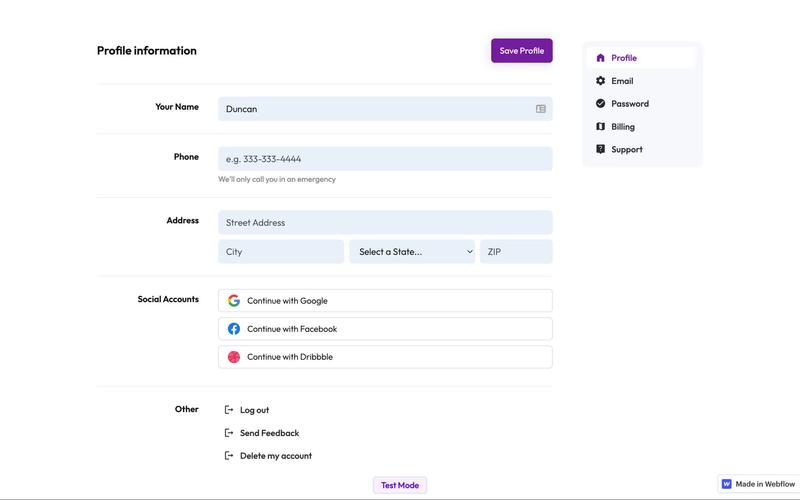
The Downloads Profile Form is a versatile component designed for user profile management, allowing users to update their personal information, including name, email, password, and billing details. Key Features Multi-tab interface for easy navigation.Form validation with success and error messages for user feedback.Social media login options for Google, Facebook, and Dribbble.Responsive design suitable for various devices.Customizable fields for user input.Design Elements: Clean and modern layout with a focus on usability.Color scheme featuring white backgrounds with contrasting text for readability.Icons integrated with form fields for enhanced visual appeal.Sticky navigation for easy access to different sections.Potential Use Cases: Web applications requiring user profile management.E-commerce platforms needing customer account management.Membership sites for managing user subscriptions and billing.Social networks for user account settings.Any service that requires user data collection and management.Conclusion: The Downloads Profile Form is a highly functional and visually appealing component that can be easily integrated into various web applications, making it an excellent choice for businesses looking to enhance user experience.

Edit Profile (Seamless)
View Component
Profile EmailProfile Password+1

Edit Profile (Seamless)

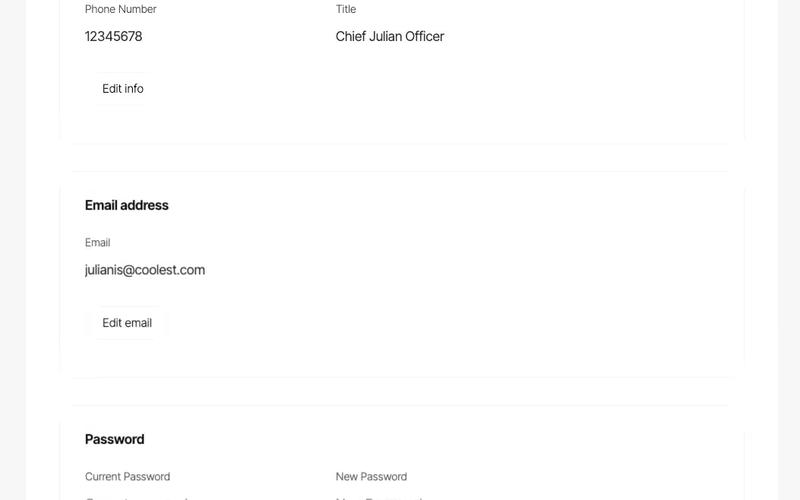
The Edit Profile (Seamless) component provides a user-friendly interface for users to update their profile information, including personal details and social connections, in a streamlined manner. Key Features Customizable profile fields including name, email, phone number, and title.Social media integration with options to connect or disconnect accounts (Google, Facebook, Linked In).Responsive design suitable for various devices.Includes success and error messages for form submissions.Image upload functionality for profile pictures.Design Elements: Modern and clean layout with rounded corners and soft color palette.Use of icons for social media connections.Flexible grid layout for input fields and buttons.Potential Use Cases: Personal websites for freelancers or consultants.User profile management for online platforms.Social networking sites requiring user profile customization.E-commerce websites with user accounts needing profile updates.Conclusion: The Edit Profile (Seamless) component is versatile and visually appealing, making it an excellent choice for any platform that requires user profile management.