40 Components

Profile Components

40 Webflow native profile components with 1-click copy & paste from a library of 807+. Built for Memberstack integration.

Unstyled Profile Form
View Component
ProfileUnstyled

Unstyled Profile Form

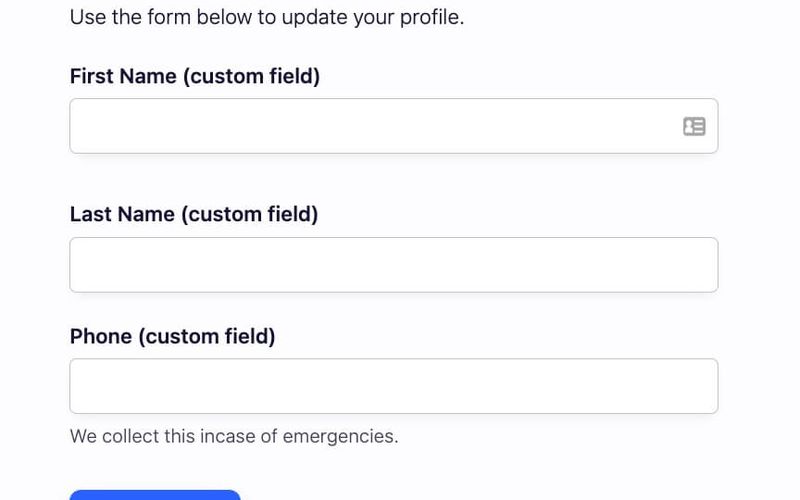
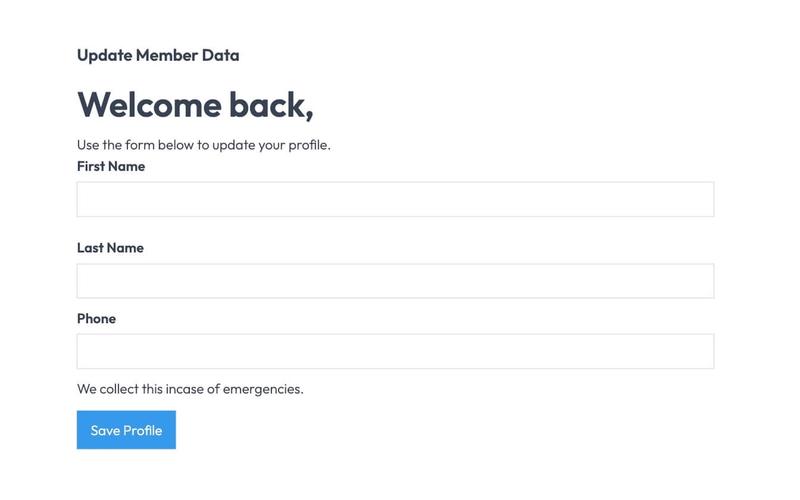
The Unstyled Profile Form is a simple and functional form designed for users to update their profile information. It includes fields for first name, last name, and phone number, along with success and error messages. Key Features Customizable fields for first name, last name, and phone number Success message upon successful submission Error message for submission failures Lightweight and easy to integrate into existing designs Design Elements Minimalist design with no predefined stylesFlexbox layout for form elementsResponsive design suitable for various screen sizes Potential Use Cases User profile management for web applications Membership sites requiring user information updatesE-commerce platforms for customer account management Community forums for user profile editing Conclusion: The Unstyled Profile Form offers a straightforward solution for user profile updates, making it versatile for various applications while allowing for easy customization to fit different design aesthetics.

3 Tab Profile Form
View Component
Profile EmailProfile Password+1

3 Tab Profile Form

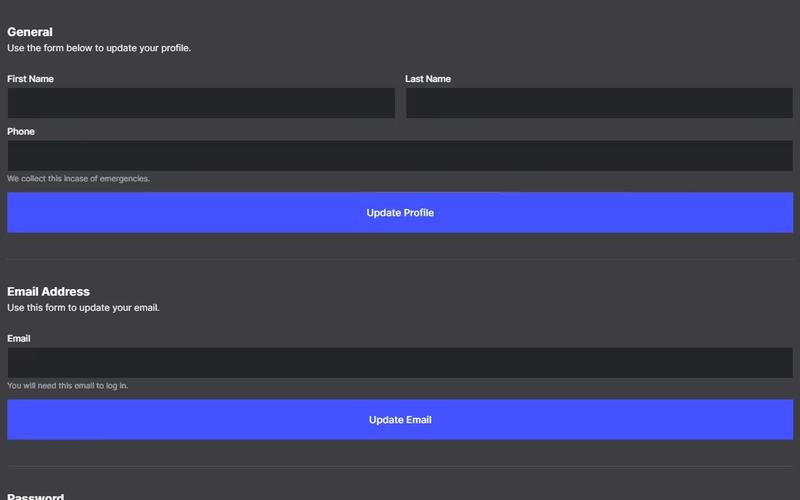
The 3 Tab Profile Form is a versatile Webflow component designed for user profile management, featuring a tabbed interface for easy navigation between different sections such as general information, email, and password updates. Key Features Tabbed navigation for seamless user experience Form fields for personal information, email, and password Success and error messages for form submissions Image upload functionality for profile pictures Responsive design suitable for various devices Design Elements Modern and clean layout with rounded corners Flexbox for alignment and spacing Color scheme with dark backgrounds and contrasting text Customizable styles for form fields and buttons Potential Use Cases User profile management for social media platforms Account settings for e-commerce websites Profile editing for membership sites Personal information updates for SaaS applications User onboarding processes in web applications Conclusion: The 3 Tab Profile Form is a highly functional and visually appealing component that enhances user interaction, making it ideal for any application requiring user profile management.

Account Settings
View Component
Profile EmailProfile Password+1

Account Settings

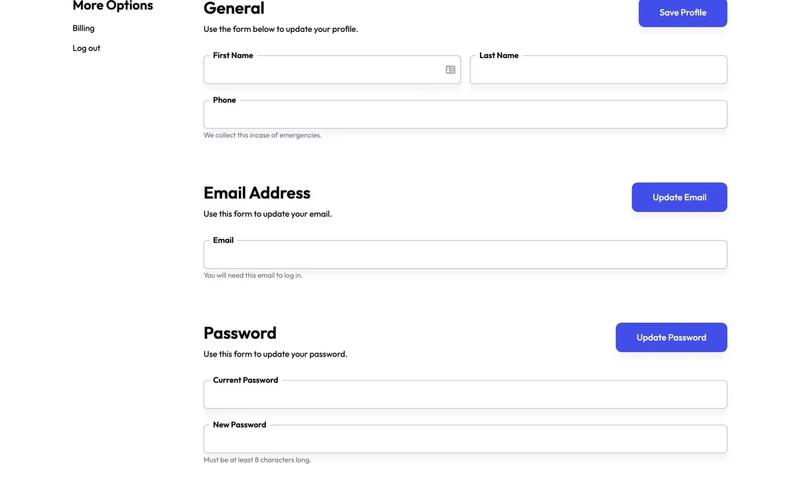
The Account Settings component allows users to update their profile information, including name, email, and password, through a user-friendly form interface. Key Features User-friendly forms for profile updates Includes fields for first name, last name, phone number, email, and password Success and error messages for form submissions Responsive design suitable for various devices Design Elements: Clean and modern layout with a focus on usability Use of grid and flexbox for responsive design Clear typography for labels and input fields Potential Use Cases: Web applications requiring user profile managementE-commerce platforms for customer account settings Social media sites for user information updates Membership sites for user data management Conclusion: The Account Settings component is versatile and essential for any application that requires user profile management, providing a seamless experience for users to update their information.

AeroKit UI Profile01 Tabular
View Component
Profile

AeroKit UI Profile01 Tabular

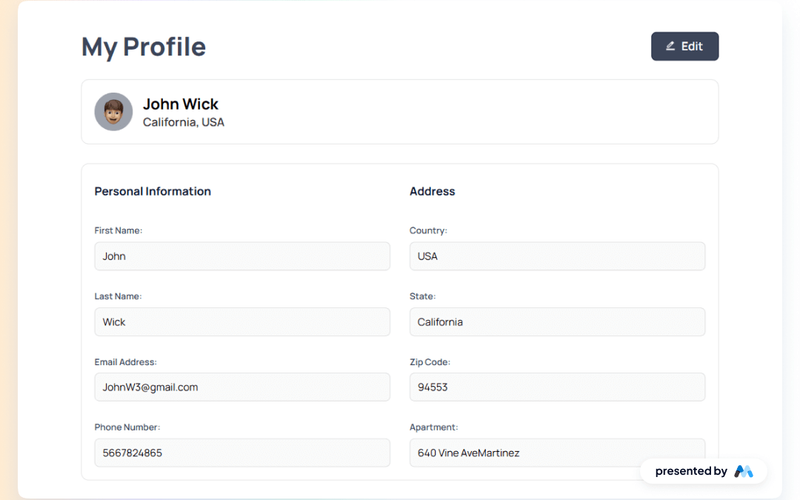
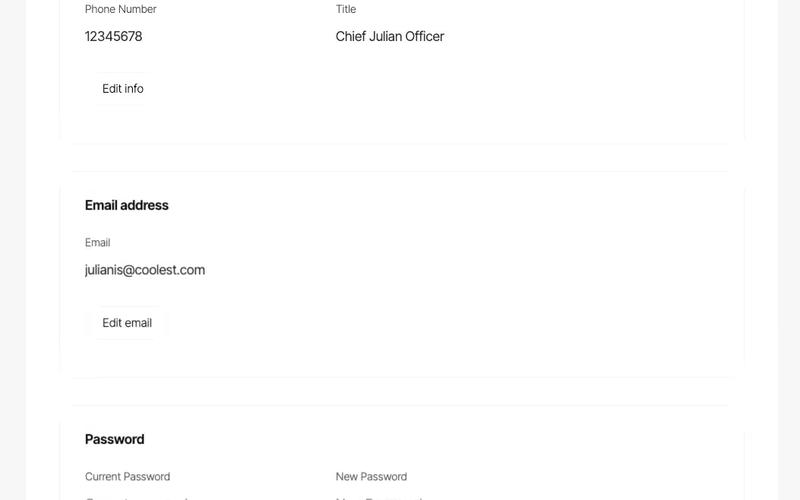
AeroKit UI Profile01 Tabular is a user profile component designed for Webflow, featuring a tabular layout that organizes user information effectively. This component is ideal for displaying personal details, contact information, and profile images in a structured format. Key Features Tabular layout for organized user information display.Editable profile sections with links for user interaction.Responsive design with CSS for various screen sizes.Includes placeholders for user images and personal details. Design Elements Utilizes a clean and structured grid layout for easy readability.Incorporates a color scheme that enhances legibility and focus on content.Features hover effects and focus states for interactive elements, improving accessibility. Potential Use Cases Personal websites for professionals showcasing their portfolios.Social media platforms requiring user profile displays.E-commerce sites needing customer account management sections.Corporate intranets for employee profiles and directories. Conclusion: AeroKit UI Profile01 Tabular is a practical component for developers looking to implement user profiles in their Webflow projects, offering a well-structured and visually coherent design.

AeroKit UI Profile02 Card-Based
View Component
Profile

AeroKit UI Profile02 Card-Based

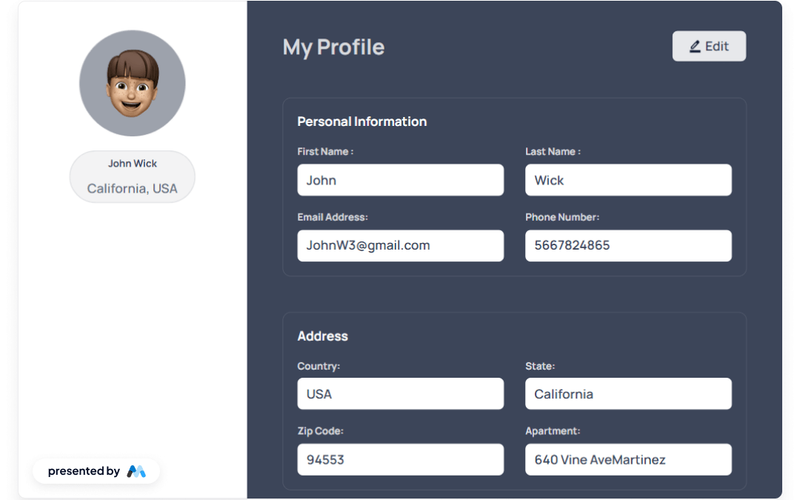
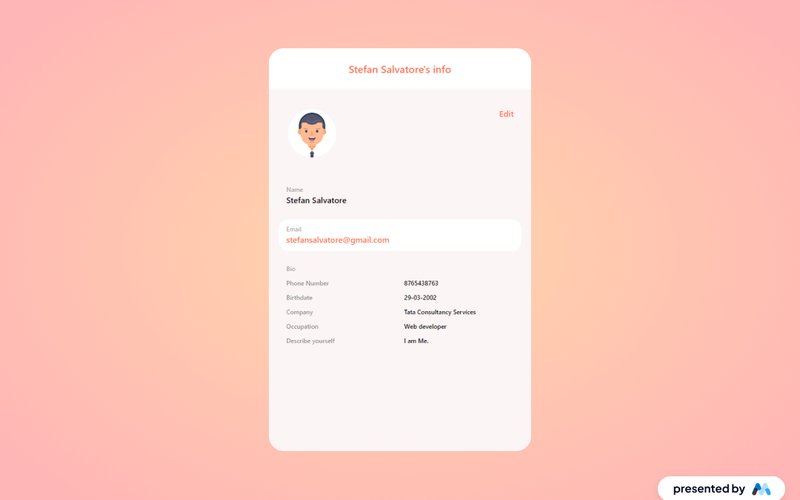
The AeroKit UI Profile02 Card-Based component is designed for showcasing user profiles in a card format. It includes sections for personal information, profile images, and action buttons, making it suitable for various applications such as social media, professional networking, or personal websites. Key Features Card layout for user profiles with sections for images and personal details.Editable fields for user information such as name, email, and phone number.Responsive design that adapts to different screen sizes.Includes action buttons like 'Edit' for user interaction. Design Elements Card-based layout that organizes information neatly.Use of images to enhance visual appeal and user engagement.Consistent spacing and alignment for a clean presentation.Typography styles that ensure readability and accessibility. Potential Use Cases Social media platforms for user profiles.Professional networking sites like Linked In.Personal portfolio websites for freelancers.E-commerce sites for seller profiles. Conclusion: The AeroKit UI Profile02 Card-Based component provides a structured and visually appealing way to display user profiles, making it a valuable addition for various web applications.

Candidate's Profile & Result
View Component
ProfilePublic Profiles

Candidate's Profile & Result

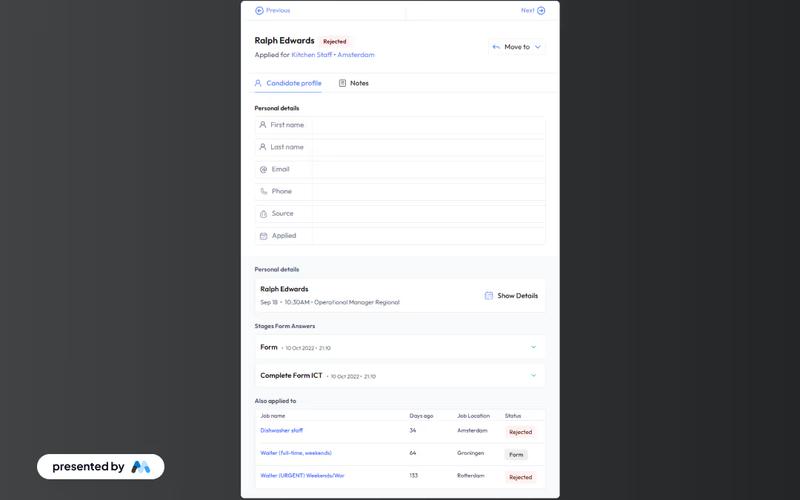
This component serves as a candidate profile page featuring a professional UI that displays personal details, application status, and feedback on form submissions for job applicants. Key Features Displays personal details of candidates Shows application status Provides feedback on form submissions Responsive design suitable for various devices Includes navigation buttons for user interaction Design Elements Clean and modern UIUse of SVG icons for navigationColor scheme includes light and dark contrastsFlexible layout with grid and flexbox styles Potential Use Cases Recruitment agencies managing multiple candidates Job portals providing application tracking Companies looking to streamline their hiring process Educational institutions offering career services Conclusion: The Candidate's Profile & Result component is a versatile tool that enhances the user experience for job applicants, making it an essential asset for recruitment and HR platforms.

Component Profile Form
View Component
Profile

Component Profile Form

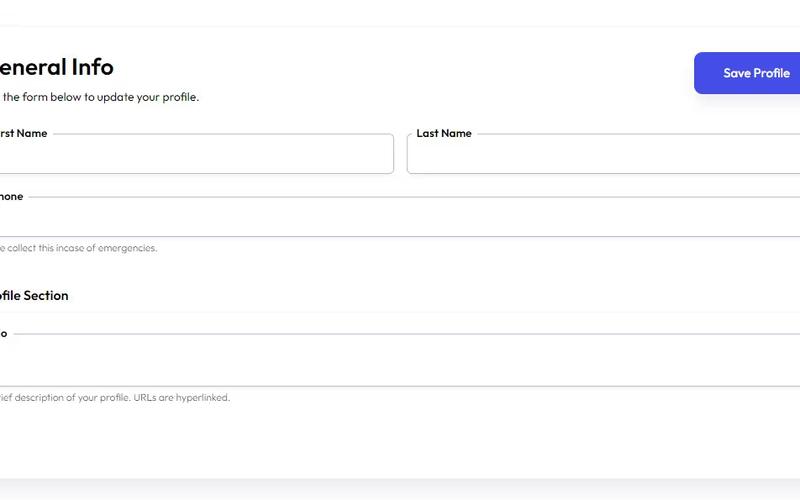
The Component Profile Form is designed to allow users to easily update their profile information through a structured form interface. It includes fields for personal details such as name, phone number, and bio. Key Features User-friendly form layout Fields for first name, last name, phone number, and bio Success and error messages for form submission Responsive design suitable for various devices Design Elements Clean and modern aestheticUse of flexbox for layoutColor scheme featuring shades of blue and whiteRounded input fields with subtle shadows Potential Use Cases User profile management for social media platforms Customer account updates for e-commerce websites Employee information updates in corporate intranets Membership profile updates for community organizations Conclusion: The Component Profile Form is a versatile and visually appealing solution for any application requiring user profile management, making it an excellent choice for developers and designers alike.

Dark Onboarding/Profile Form
View Component
OnboardingProfile

Dark Onboarding/Profile Form

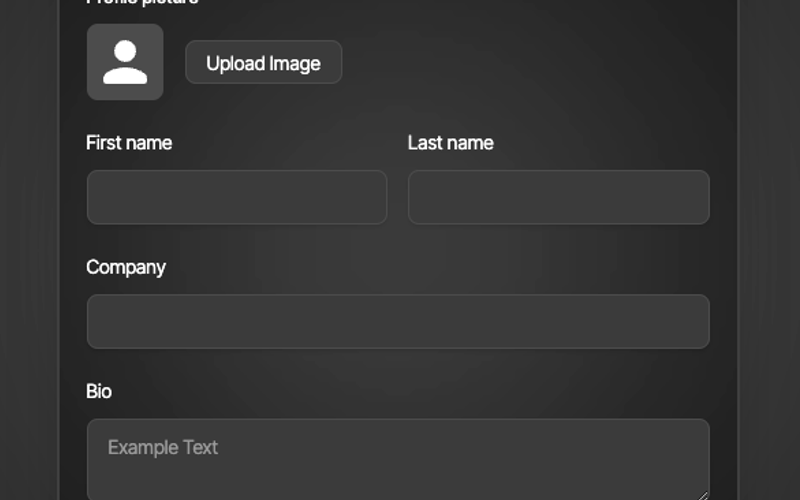
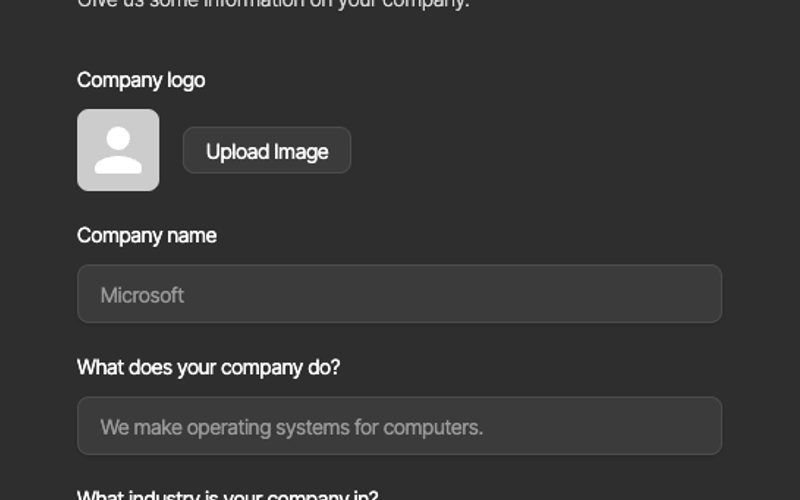
The Dark Onboarding/Profile Form is a sleek, user-friendly form designed to collect essential information from users during the onboarding process. It features a modern dark theme that enhances user experience and engagement. Key Features Responsive design suitable for various devices Customizable fields for company name, description, and industry Image upload functionality for company logos Success and error messages for user feedback Easy integration with Webflow CMS Design Elements Dark color scheme with contrasting text for readability Rounded corners and shadow effects for a modern look Clear typography with a focus on legibility Flexible layout with grid and block elements Potential Use Cases Startups looking to onboard new users efficiently Businesses in need of a professional profile collection tool Event registration forms for conferences or workshops Surveys or feedback forms for product launches User account creation forms for SaaS applications Conclusion: The Dark Onboarding/Profile Form is a versatile and visually appealing component that can enhance user onboarding experiences across various industries, making it an excellent choice for businesses aiming to streamline their user engagement processes.

Dark Profile Form
View Component
Profile EmailProfile+1

Dark Profile Form

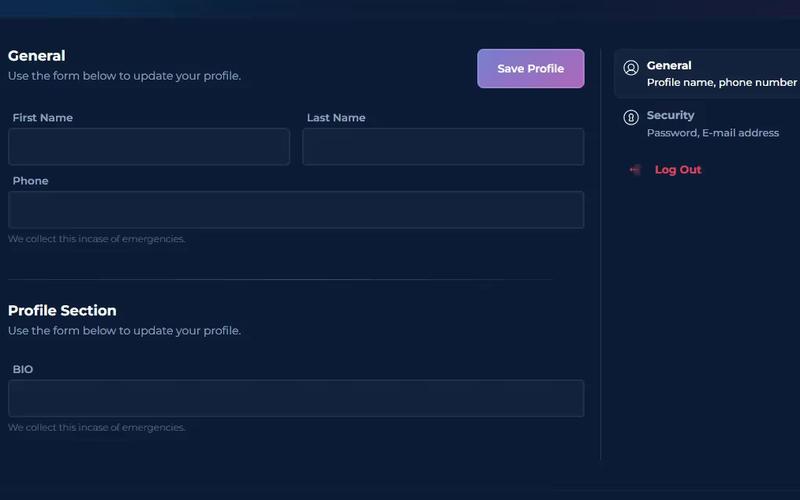
The Dark Profile Form is a user-friendly component designed for updating user profiles, featuring input fields for personal information and a clean, modern aesthetic. Key Features Includes fields for first name, last name, phone number, and bio.Responsive design suitable for various devices.Success and error messages for form submissions.Customizable styling options available.Design Elements: Dark color scheme with contrasting text for readability.Rounded input fields with subtle shadows.Clear button with tasteful gradient for saving profile changes.Potential Use Cases: User profile management for social media platforms.Customer account settings for e-commerce websites.Personal information updates for membership sites.Profile editing for online forums or communities.Conclusion: The Dark Profile Form is a versatile and visually appealing component that enhances user experience by simplifying the process of updating personal information.

Dashboard Profile
View Component
ProfileProfile Email+2

Dashboard Profile

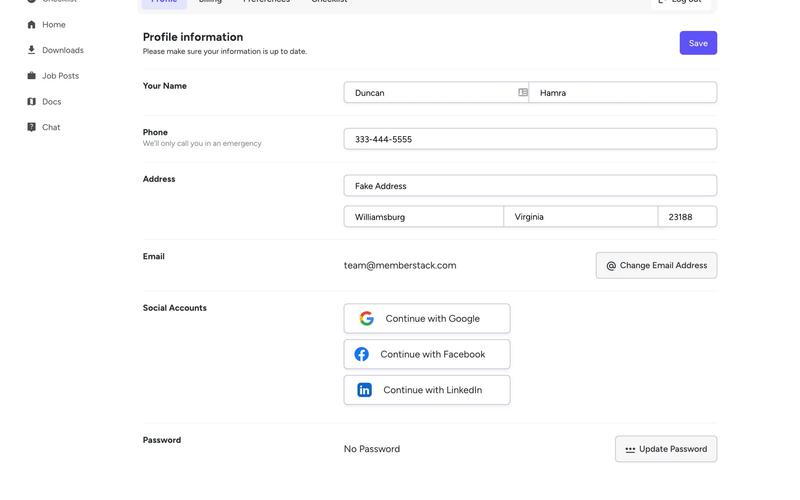
The Dashboard Profile component is designed for user profile management, featuring sections for personal information, billing, and social account connections. It provides a user-friendly interface for managing account settings. Key Features Tabs for easy navigation Form elements for updating personal information and passwords Integration with social media accounts for login Responsive design suitable for various devices Customizable styles and interactions Design Elements: Modern and clean layout with a focus on usabilityUse of iconsHover effects for interactive elementsPotential Use Cases: Web applications requiring user account managementE-commerce platforms for managing user profiles and orders Social media platforms for user settings and preferences Educational platforms for student account management Conclusion: The Dashboard Profile component is versatile and can be easily integrated into various applications, providing a seamless user experience for managing personal information and settings.

Dashboard Top Nav
View Component
DashboardProfile

Dashboard Top Nav

The Dashboard Top Nav is a versatile navigation component designed for web applications, providing a clean and functional interface for user interaction. It features a responsive layout with links to various sections of the dashboard. Key Features Fixed positioning for easy access Responsive design that adapts to different screen sizes Includes icons for visual appeal Supports multiple navigation links Customizable styles and classes Design Elements Modern and minimalistic style Color scheme primarily in shades of blue and white Rounded corners and subtle shadows for depth Flexbox layout for alignment and spacing Potential Use Cases Web applications requiring user dashboards Admin panels for content management systemsE-commerce platforms with user accounts Project management tools with multiple sections Any web application needing a structured navigation system Conclusion: The Dashboard Top Nav is a highly functional and aesthetically pleasing component that enhances user experience by providing easy navigation across various sections of a web application.

Downloads Profile Form
View Component
ProfileDashboard+2

Downloads Profile Form

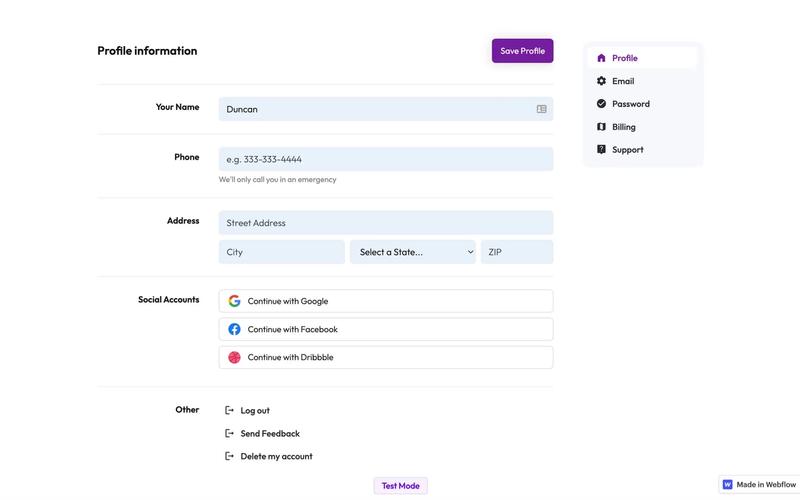
The Downloads Profile Form is a versatile component designed for user profile management, allowing users to update their personal information, including name, email, password, and billing details. Key Features Multi-tab interface for easy navigation.Form validation with success and error messages for user feedback.Social media login options for Google, Facebook, and Dribbble.Responsive design suitable for various devices.Customizable fields for user input.Design Elements: Clean and modern layout with a focus on usability.Color scheme featuring white backgrounds with contrasting text for readability.Icons integrated with form fields for enhanced visual appeal.Sticky navigation for easy access to different sections.Potential Use Cases: Web applications requiring user profile management.E-commerce platforms needing customer account management.Membership sites for managing user subscriptions and billing.Social networks for user account settings.Any service that requires user data collection and management.Conclusion: The Downloads Profile Form is a highly functional and visually appealing component that can be easily integrated into various web applications, making it an excellent choice for businesses looking to enhance user experience.

Drag and Drop Input
View Component
InputProfile

Drag and Drop Input

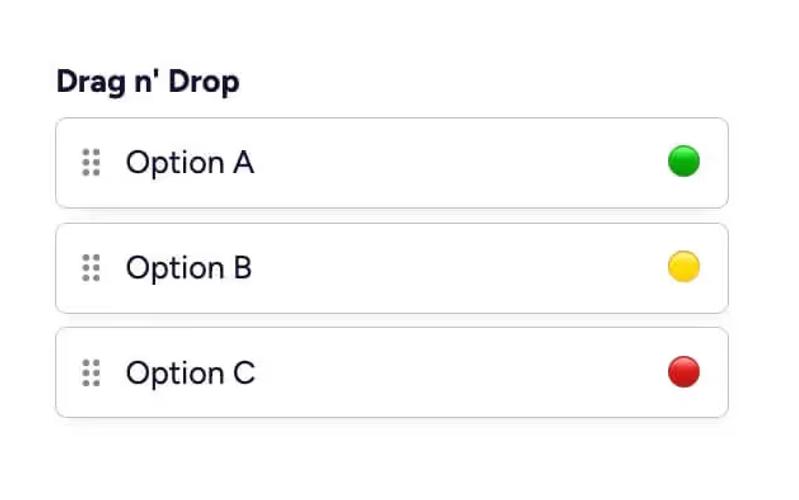
The Drag and Drop Input component allows users to easily reorder items through a drag-and-drop interface, enhancing user interaction in forms. It is designed to be intuitive and visually appealing. Key Features Drag-and-drop functionality for reordering items Customizable input fields with placeholder text Supports multiple options with visual indicators Includes instructional steps for implementation Responsive design suitable for various devices Design Elements: Clean and modern layout Colorful option indicators (green, yellow, red)Hover effects for interactive elements Use of icons for visual appeal Consistent padding and margins for a polished look Potential Use Cases: E-commerce websites for product sorting Survey forms requiring user preference ordering Event planning applications for task prioritization Customizable dashboards for user settings Educational platforms for arranging learning modules Conclusion: The Drag and Drop Input component is a versatile tool that enhances user experience by allowing intuitive item reordering, making it ideal for various applications across different industries.

Edit Profile (Seamless)
View Component
Profile EmailProfile Password+1

Edit Profile (Seamless)

The Edit Profile (Seamless) component provides a user-friendly interface for users to update their profile information, including personal details and social connections, in a streamlined manner. Key Features Customizable profile fields including name, email, phone number, and title.Social media integration with options to connect or disconnect accounts (Google, Facebook, Linked In).Responsive design suitable for various devices.Includes success and error messages for form submissions.Image upload functionality for profile pictures.Design Elements: Modern and clean layout with rounded corners and soft color palette.Use of icons for social media connections.Flexible grid layout for input fields and buttons.Potential Use Cases: Personal websites for freelancers or consultants.User profile management for online platforms.Social networking sites requiring user profile customization.E-commerce websites with user accounts needing profile updates.Conclusion: The Edit Profile (Seamless) component is versatile and visually appealing, making it an excellent choice for any platform that requires user profile management.

Elegant Profile Edit
View Component
AllProfile

Elegant Profile Edit

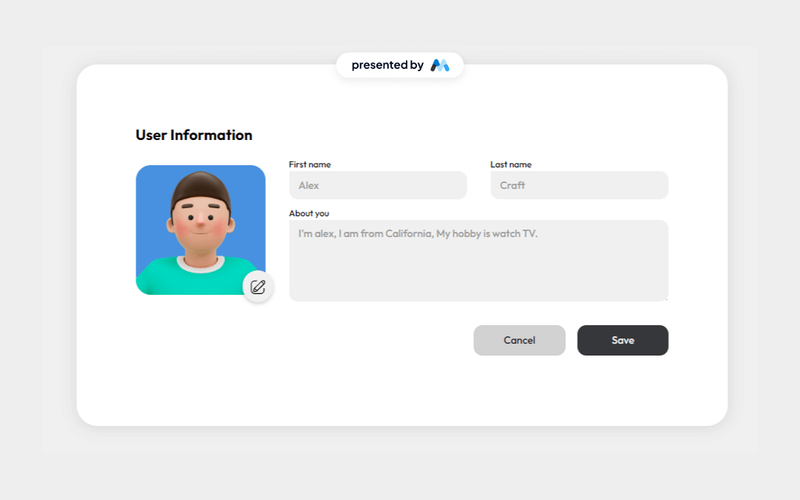
The Elegant Profile Edit component features a minimalistic user interface designed for profile editing, including fields for first name, last name, and an about section, along with form submission feedback. Key Features Minimalistic and elegant design User-friendly form fields for personal information Feedback messages for successful or failed submissions Responsive layout suitable for various devices Customizable styles and classes Design Elements Clean and modern aesthetic Soft color palette with a focus on usability Rounded corners and subtle shadows for depth Flexbox layout for responsive design Potential Use Cases Personal websites or portfolios Social media profile management User account settings pages for web applications Online community or forum profiles Business websites needing user profile features Conclusion: The Elegant Profile Edit component is versatile and visually appealing, making it an excellent choice for any project requiring user profile management.

Glassmorphism Profile Page
View Component
Profile

Glassmorphism Profile Page

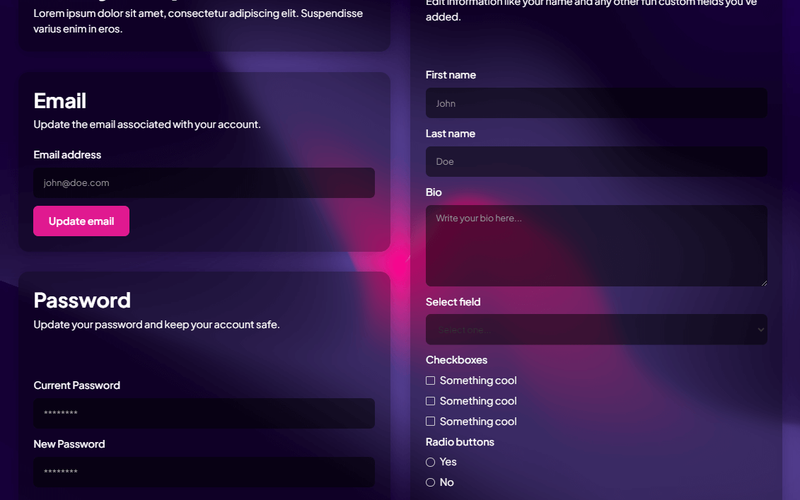
This sleek profile page utilizes a glassmorphism design, allowing users to customize colors and gradients to match their brand identity. Key Features Customizable colors and gradients Responsive design suitable for various devices User-friendly form elements for profile editing Includes success and error messages for form submissions Supports multiple input types including text, email, and checkboxes Design Elements Glassmorphism effect with a blurred background Soft rounded corners and shadow effects Modern typography with clear headings Grid layout for organized content presentation Potential Use Cases Personal websites for freelancers or creatives User profile sections for social media platforms Account management pages for SaaS applications Portfolio showcases for designers and artists Community or forum user profiles Conclusion: The Glassmorphism Profile Page is a versatile and visually appealing template that can enhance user experience across various applications, making it an excellent choice for modern web design.

HR management-Employee Profile
View Component
Profile

HR management-Employee Profile

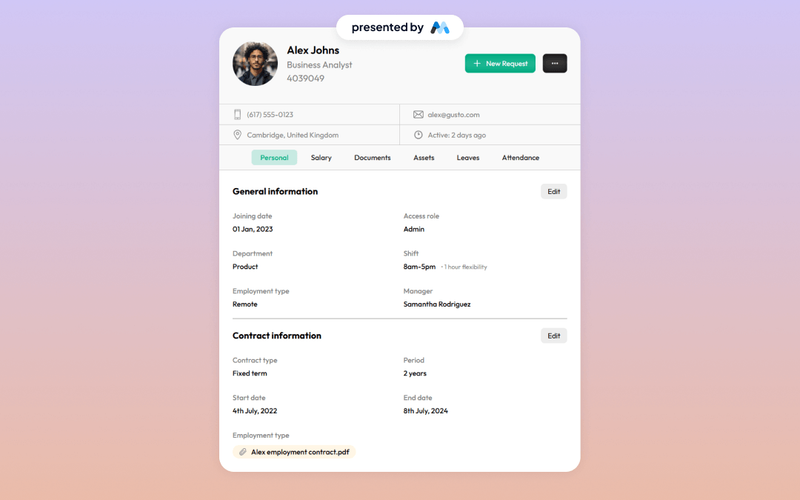
The HR management-Employee Profile component is designed to facilitate the management of employee information within an organization. It includes sections for personal details, contact information, and tabs for various employee-related documents and requests. This component serves as a template for HR departments to streamline employee data management. Key Features Employee personal information display including name, position, and contact details.Image support for employee profile pictures.Tabs for organizing different categories such as personal details, salary, documents, and attendance.Responsive design elements that adapt to various screen sizes. Design Elements Utilizes a clean layout with clear sections for easy navigation.Incorporates a tabbed interface for efficient categorization of employee information.Employs a consistent color scheme and typography for a professional appearance. Potential Use Cases Human Resources departments in companies looking to manage employee profiles.Startups needing a simple solution for employee data management.Educational institutions tracking staff information.Freelancers or consultants managing client profiles. Conclusion: This component provides a structured and organized approach to employee profile management, making it a valuable resource for HR professionals.

Input with Shared Borders
View Component
InputProfile

Input with Shared Borders

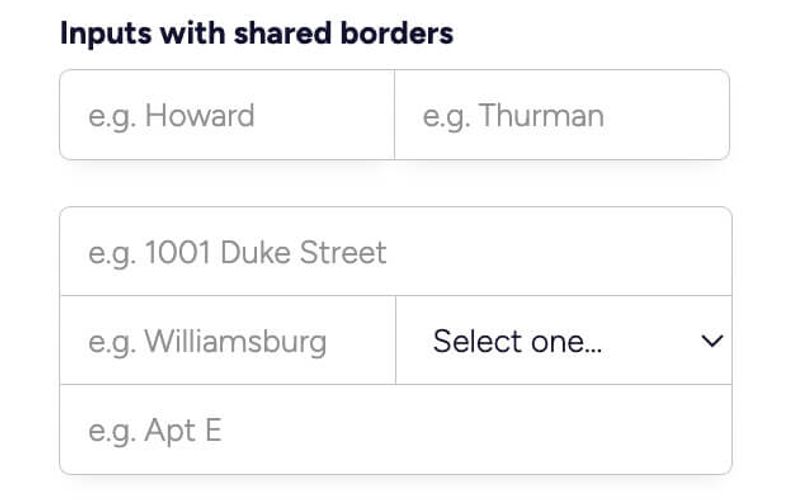
This component features a set of input fields designed with shared borders, providing a cohesive and modern look for forms. It is ideal for enhancing user experience in data entry scenarios. Key Features Includes multiple input fields with shared borders for a unified appearance.Responsive design that adapts to various screen sizes.Customizable placeholders and labels for each input.Supports various input types including text and select dropdowns.Easy integration into existing Webflow projects. Design Elements Minimalist style with a clean white background.Soft rounded corners for a modern aesthetic.Subtle box shadow for depth and emphasis.Color scheme primarily using shades of blue and gray. Potential Use Cases Contact forms for businesses and service providers.Registration forms for events or memberships.Surveys and feedback forms for customer insights.E-commerce checkout forms to streamline user input.Lead generation forms for marketing campaigns. Conclusion: The Input with Shared Borders component is a versatile and visually appealing solution for any form-related needs, making it a valuable addition to any Webflow project.

Profile Dropdown
View Component
Public ProfilesProfile+1

Profile Dropdown

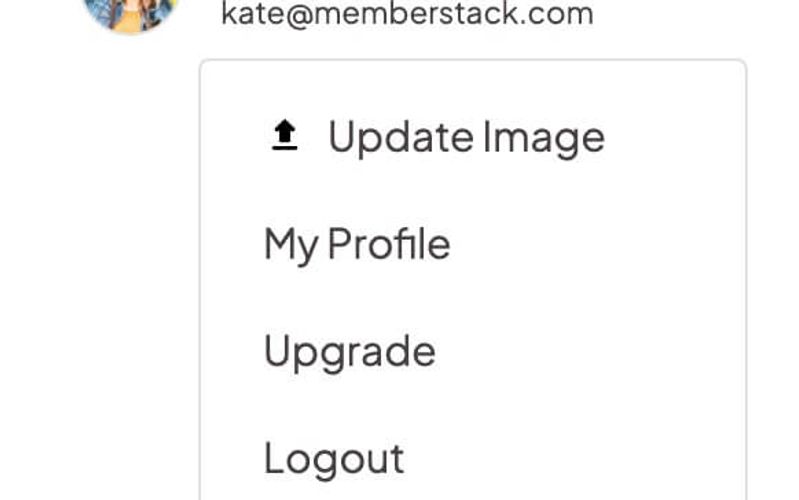
The Profile Dropdown is a navbar-ready component designed to provide users with quick access to their profile options in a sleek and organized manner. Key Features Dropdown menu for user profile options Includes profile image, name, and email display Links for updating profile, billing, and logout Responsive design suitable for various screen sizes Design Elements Minimalistic and modern visual styleSoft color palette with a white backgroundCircular profile image with a borderHover effects for dropdown links Potential Use Cases Web applications with user accountsE-commerce platforms for customer account management Social media websites for user profile access Content management systems for user settings Conclusion: The Profile Dropdown is a versatile and user-friendly component that enhances navigation and user experience, making it ideal for any web application requiring user account management.

Profile Form
View Component
Profile

Profile Form

The Profile Form is designed to allow users to update their personal information through a customizable interface. It features various input fields for user data collection. Key Features Customizable fields for first name, last name, and phone number Success and error messages for user feedback Responsive design suitable for various devices Form submission with validation for required fields Design Elements Modern layout with a clean aesthetic Use of white background with blue accents Clear labeling for input fields Responsive design elements that adjust to screen size Potential Use Cases User profile management for membership sites Updating contact information for e-commerce platforms Personal account settings for online services Community forums requiring user data updates Conclusion: The Profile Form is a versatile and user-friendly component ideal for any website needing user data management, enhancing user experience with its intuitive design and functionality.
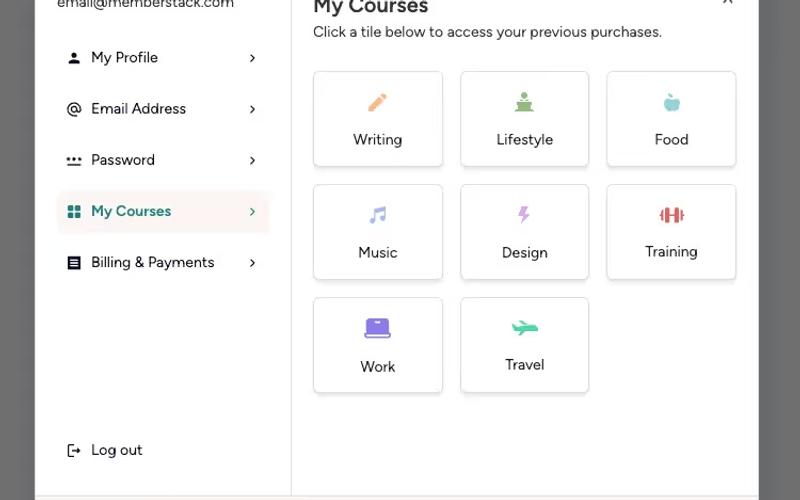
Profile Form 11
View Component
Profile

Profile Form 11

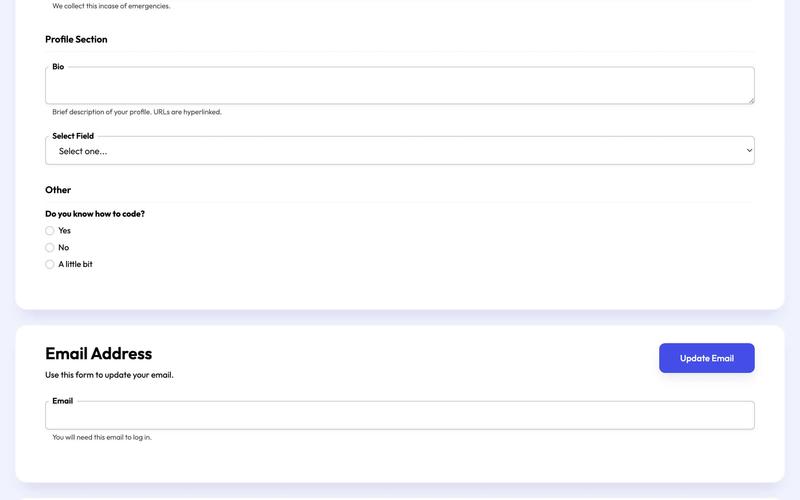
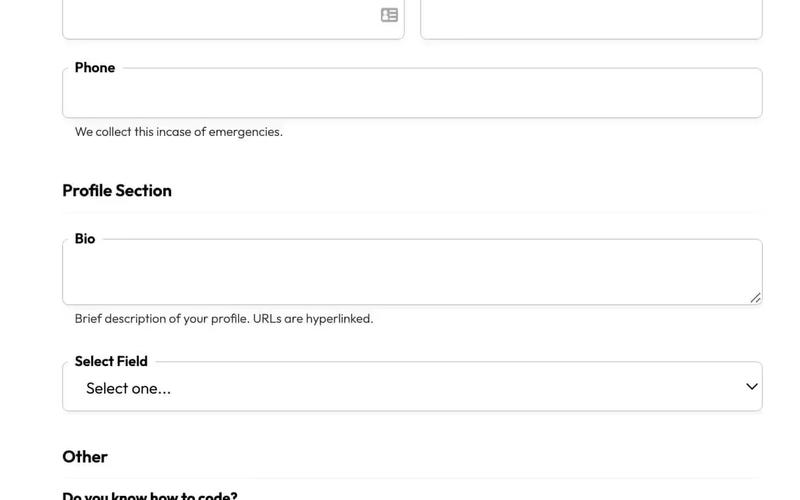
Profile Form 11 is a user-friendly form designed for updating user profiles, featuring various input fields for personal information. Key Features Includes fields for first name, last name, phone number, and bio.Supports radio buttons.Features a dropdown select field with customizable options.Responsive design suitable for various devices.Success and error messages for form submission feedback.Design Elements: Clean and modern layout with a focus on usability.Color scheme primarily using shades of blue and white.Input fields with rounded corners and subtle shadows for depth.Clear labels and descriptions for each input field.Potential Use Cases: Web applications requiring user profile management.Membership sites where users need to update their information.Online communities that allow users to personalize their profiles.E-commerce platforms for customer account management.Educational platforms for student profile updates.Conclusion: Profile Form 11 is a versatile and visually appealing component that enhances user experience by simplifying the profile update process.

Profile Image
View Component
ProfileInput

Profile Image

The Profile Image component is designed to display user avatars with an option to change them, making it ideal for personal profiles or user accounts. Key Features Displays a circular profile image with a customizable avatar.Includes a 'Change Avatar' link for user interaction.Responsive design with auto width and height settings.Centered alignment for a clean presentation. Design Elements Circular image with a border-radius for a soft appearance.Light gray background color for the image placeholder.Compact size of 56px by 56px for a neat layout. Potential Use Cases Social media platforms for user profiles.E-commerce websites for customer accounts.Online forums or community sites for member avatars.Corporate websites for employee profiles.Blogging platforms for author images. Conclusion: The Profile Image component is versatile and user-friendly, making it an essential element for any platform that requires user representation.

Profile Inputs
View Component
ProfileProfile Email

Profile Inputs

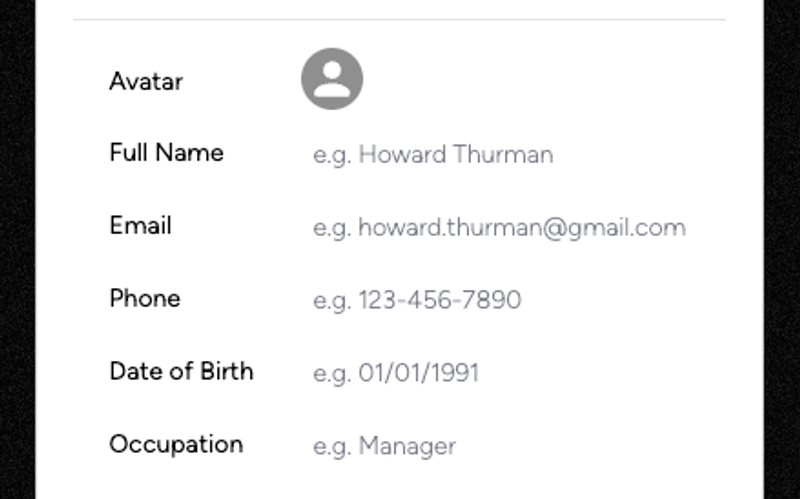
The Profile Inputs component is designed to facilitate user profile creation and updates through a clean and intuitive form interface. It includes essential fields for user information such as name, email, phone, date of birth, and occupation. Key Features User-friendly form layout Includes fields for full name, email, phone, date of birth, and occupation Profile image upload functionality Success and error messages for form submissions Responsive design suitable for various devices Design Elements Modern and clean aesthetic with a white background Rounded corners and subtle shadows for input fields Consistent use of flexbox for layout alignment Colorful buttons with hover effects Potential Use Cases Web applications requiring user registration or profile updates Online services that need to collect user information Membership sites where users manage their profilesE-commerce platforms for customer account management Social media platforms for user profile creation Conclusion: The Profile Inputs component is versatile and easy to implement, making it an excellent choice for any web project that requires user profile management.

Profile Modal
View Component
ProfilePre-built Modals

Profile Modal

The Profile Modal is a versatile Webflow component designed for user profile management, allowing users to view and edit their personal information seamlessly. Key Features Responsive design for mobile and desktop Tabs for easy navigation between profile sections Form elements for updating user details Social media login options Success and error messages for form submissions Design Elements: Modern and clean layout Use of icons for visual clarity Flexible grid system for content arrangement Soft color palette with a focus on usability Potential Use Cases: User account management for e-commerce websites Profile settings for social media platforms Membership sites requiring user data updates Online learning platforms for course management Subscription services needing user information updates Conclusion: The Profile Modal is a highly functional and visually appealing component that enhances user experience by simplifying profile management tasks.

Profile Settings
View Component
Public ProfilesProfile

Profile Settings

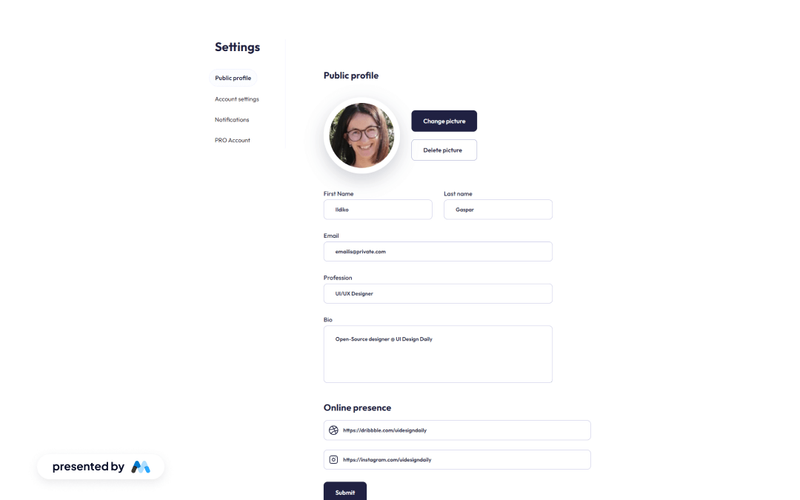
The Profile Settings component offers a clean and intuitive user interface for managing public profile details, including personal information, profession, bio, and online presence, with effective form submission feedback. Key Features User-friendly interface for profile management Fields for personal details, profession, and bio Online presence links integration Form submission feedback for user actions Responsive design suitable for various devices Design Elements Minimalistic layout with a focus on usability Soft color palette with a professional look Rounded input fields and buttons for a modern aesthetic Clear typography for easy readability Potential Use Cases Personal websites for freelancers and professionals Social media profiles for influencers Online portfolios for designers and artists User account settings for web applications Community platforms requiring user profiles Conclusion: The Profile Settings component is versatile and adaptable, making it an excellent choice for anyone looking to create a professional and user-friendly profile management interface.

Radio Cards
View Component
InputProfile

Radio Cards

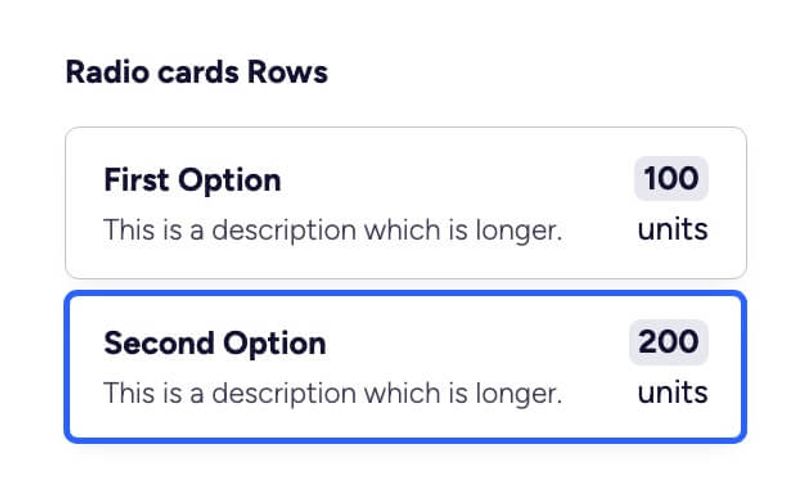
Radio Cards is a versatile Webflow component designed for creating interactive radio button selections within forms. It features a clean layout and customizable styles to enhance user experience. Key Features Customizable radio button options Integrated form labels and descriptions Responsive design suitable for various devices Includes custom CSS for enhanced styling Easy integration into existing Webflow projects Design Elements Modern and clean visual style Soft color palette with shades of blue and gray Rounded corners and subtle shadows for depth Clear typography with emphasis on labels and options Potential Use Cases Surveys and feedback forms for businesses Product selection forms for e-commerce sites Event registration forms requiring user preferences Interactive quizzes and assessments User preference settings in web applications Conclusion: Radio Cards is a highly adaptable component that enhances form interactivity, making it an excellent choice for a variety of applications across different industries.

Radio Menu
View Component
InputProfile

Radio Menu

The Radio Menu is a versatile form component designed for user input through radio buttons, allowing users to select options in a visually appealing format. It features customizable labels and a structured layout for easy integration into forms. Key Features Customizable radio button options.Responsive design suitable for various screen sizes.Includes custom CSS for enhanced styling and interaction effects.Easy integration into existing Webflow projects.Design Elements: Clean and modern layout with a white background.Use of rounded corners for a softer appearance.Color scheme includes shades of blue and gray for a professional look.Flexbox layout for responsive alignment of radio buttons and labels.Potential Use Cases: Event registration forms requiring time slot selection.Surveys or feedback forms where users choose a preferred contact method.Booking systems for appointments or services.E-commerce sites for selecting delivery options.Conclusion: The Radio Menu is a highly adaptable component that enhances user interaction in forms, making it an excellent choice for various applications across different industries.

Radio Pill Buttons
View Component
ProfileInput

Radio Pill Buttons

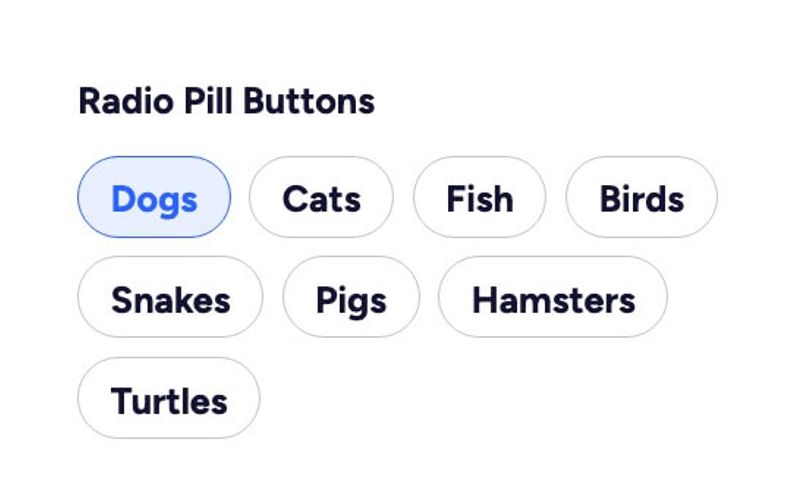
Radio Pill Buttons is a customizable radio button component designed for Webflow, allowing users to create visually appealing and interactive forms. It features a modern pill shape and can be styled with custom CSS. Key Features Customizable radio button styles using CSSSupports multiple options (e.g., Dogs, Cats, Fish, etc.)Interactive design with hover effects Video tutorial available for customization guidance Responsive design suitable for various devices Design Elements Pill-shaped buttons for a modern lookColorful hover effects with custom CSSClear typography for labelsFlexible layout with grid and flexbox Potential Use Cases Pet adoption websites for selecting pet types Surveys and feedback forms requiring user preferencesE-commerce sites for product options Event registration forms with multiple choices Interactive quizzes and polls Conclusion: Radio Pill Buttons offer a stylish and functional solution for form inputs, enhancing user experience while maintaining a clean aesthetic. Their versatility makes them suitable for various applications across different industries.

Radio Table
View Component
InputProfile

Radio Table

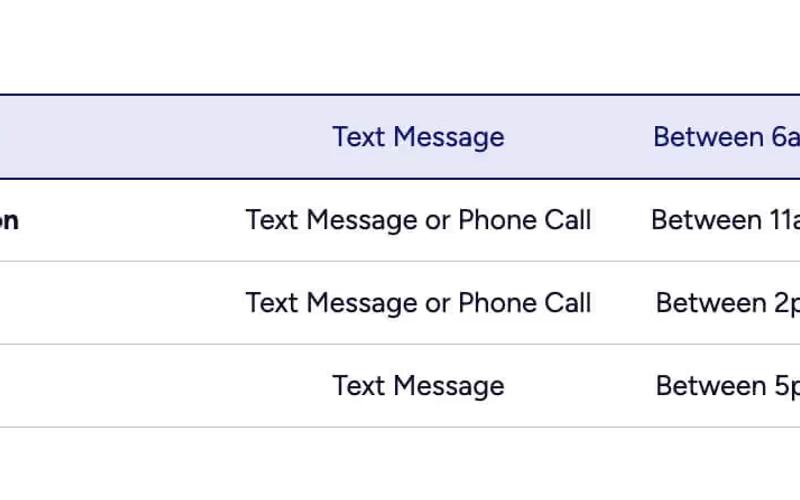
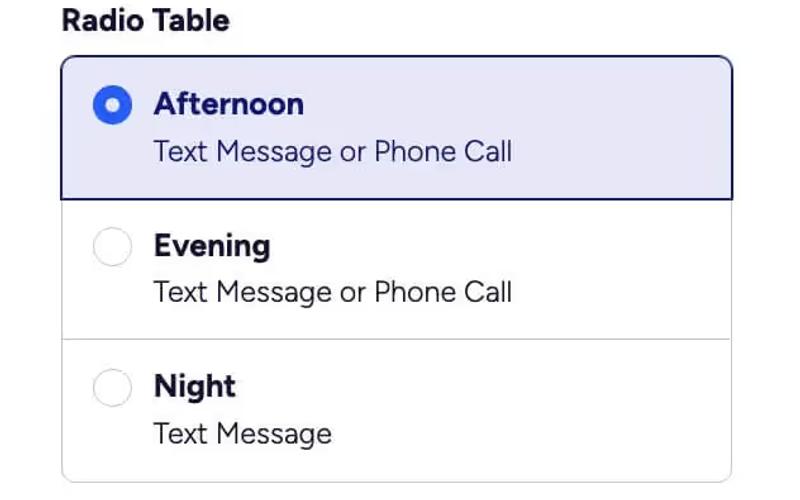
The Radio Table component is designed for creating interactive radio button selections within forms, allowing users to choose from multiple options. It features a clean and modern layout suitable for various applications. Key Features Customizable radio button options Responsive design that adapts to different screen sizes.Includes custom CSS for enhanced styling and user interaction.Easy integration into existing forms with minimal setup.Design Elements: Flexbox layout for easy alignment and spacing.Bold typography for labels with a modern color palette.Subtle hover and focus effects for improved user experience.Rounded corners and borders for a polished look.Potential Use Cases: Event registration forms where users select preferred time slots.Surveys or feedback forms requiring specific options.Booking systems for services that require time selection.E-commerce sites for selecting delivery preferences.Conclusion: The Radio Table component is versatile and user-friendly, making it an excellent choice for any form requiring radio button selections. Its modern design and customization options enhance user engagement.

Radio Toggle Buttons
View Component
InputProfile

Radio Toggle Buttons

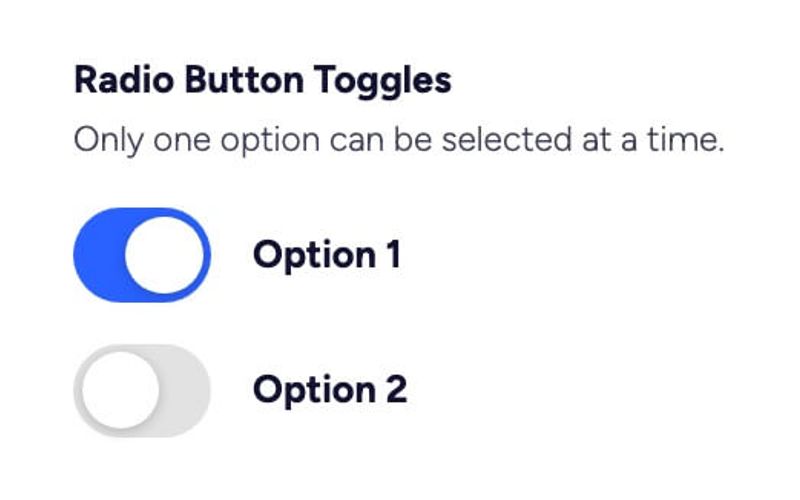
The Radio Toggle Buttons component allows users to select one option from a set of choices, providing a clear and interactive way to make selections. It is designed with custom CSS for enhanced visual appeal. Key Features Single selection functionality Custom CSS styling for enhanced aesthetics Responsive design suitable for various devices Includes help text for user guidance Interactive elements with animations Design Elements Modern and clean design Rounded toggle buttons Colorful background with smooth transitions Use of icons for visual cues Lightweight and minimalistic layout Potential Use Cases Web applications requiring user input selection Forms for surveys or feedback collectionE-commerce sites for product options Interactive quizzes or assessments User settings or preferences configuration Conclusion: The Radio Toggle Buttons component is versatile and visually appealing, making it an excellent choice for any web project that requires user interaction through option selection.
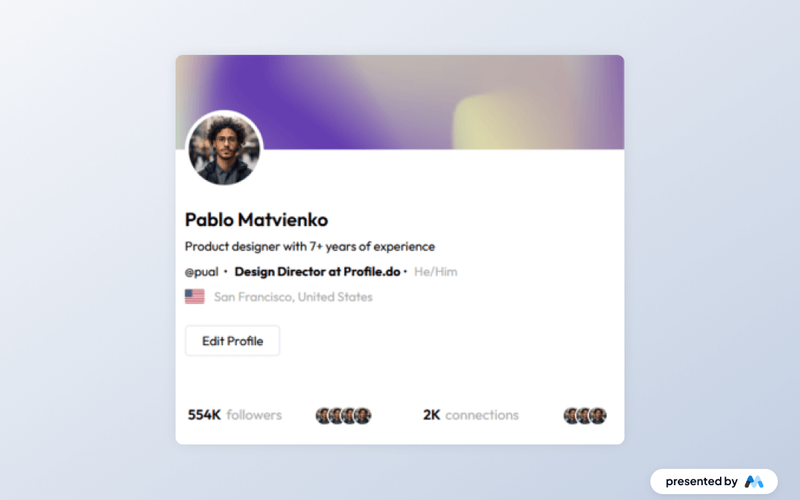
Simple Dashboard
View Component
ProfileDashboard+2

Simple Dashboard

The Simple Dashboard is a fully designed, customizable profile component that allows users to update their personal information, including email and password, within a Webflow site. Key Features Full-page profile component User-friendly interface for updating personal info Customizable design in Webflow Includes forms for email and password updates Responsive design suitable for various devices Design Elements: Clean and modern layout Sticky navigation bar for easy access Color scheme featuring shades of blue and white Flexible grid layout for content organization Potential Use Cases: Membership sites requiring user profilesE-commerce platforms with user accounts Corporate intranets for employee information management Educational platforms for student profiles Conclusion: The Simple Dashboard is a versatile and visually appealing component that enhances user experience by providing an intuitive way to manage personal information.
Startup Onboarding Form
View Component
ProfileOnboarding

Startup Onboarding Form

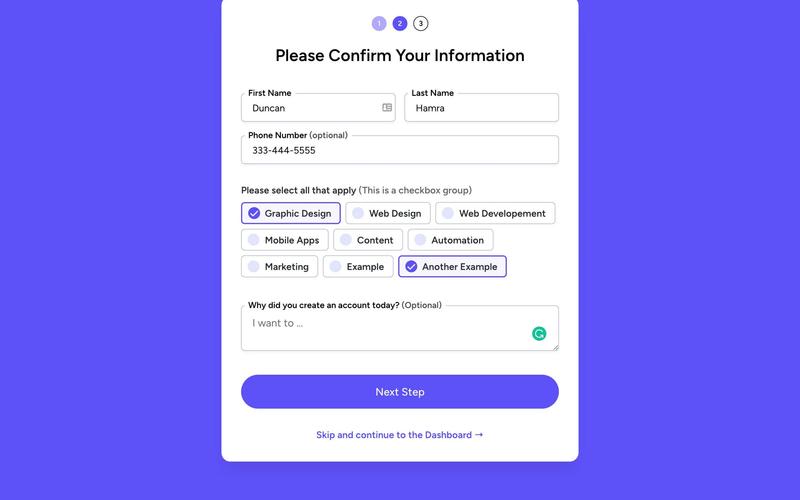
The Startup Onboarding Form is designed to streamline the process of gathering essential information from new users or clients. It features a clean layout with various input fields and checkboxes to capture user details effectively. Key Features User-friendly form layout Includes fields for first name, last name, phone number, and optional feedback Checkbox options for selecting skills or services Responsive design suitable for various devices Success and error messages for user feedback Design Elements: Bright color scheme with a focus on blue tones Modern typography with clear headings Flexible layout with sections for easy navigation Use of icons to enhance visual appeal Potential Use Cases: Startups looking to onboard new clients or users Businesses needing to collect user information for newsletters Event organizers gathering participant details Online services requiring user registration Educational platforms enrolling new students Conclusion: The Startup Onboarding Form is a versatile and visually appealing component that can significantly enhance user engagement and data collection for various businesses.

Status Profile
View Component
Profile

Status Profile

The Status Profile component is designed to create user profile sections that display essential information and allow for user interaction through forms. It includes features for displaying images, user details, and form submissions, making it suitable for personal or professional profiles. Key Features User image display with customizable source and alt attributes.Form elements for user input including text fields, selects, and text areas.Success and error messages for form submissions to enhance user feedback.Responsive design elements that adapt to various screen sizes. Design Elements Utilizes a clean layout with sections divided for user information and forms.Incorporates a color scheme that emphasizes readability and accessibility.Includes responsive design principles to ensure usability on mobile and desktop devices. Potential Use Cases Personal websites for individuals showcasing their professional profiles.Corporate intranets where employees can update their profiles.Social media platforms requiring user profile management.Online portfolios for freelancers or creatives to display their work. Conclusion: The Status Profile component is a practical solution for creating user profiles, offering essential features and a user-friendly design that can be adapted for various applications.

Streamlined Profile
View Component
Profile

Streamlined Profile

The Streamlined Profile component is designed to display user information in a structured format. It includes sections for personal details, contact information, and a brief bio, making it suitable for profiles in various applications. For example, it can be used for team members on a company website or user profiles in a social network. Key Features User information display with sections for name, email, phone number, and bio.Form integration for user input, allowing for updates to profile information.Responsive design that adapts to different screen sizes.Success and error messages for form submissions to enhance user experience. Design Elements Grid layout for organizing information clearly, such as contact details and personal info.Use of line breaks for better readability between different sections.Consistent styling for text elements to maintain a cohesive look. Potential Use Cases Corporate team member profiles on a company website.User profiles in a social media application.Customer profiles in an e-commerce platform.Member profiles for a community or forum website. Conclusion: The Streamlined Profile component effectively organizes and presents user information, making it a practical choice for various applications requiring user profiles.

Stunning Edit Profile
View Component
Public ProfilesProfile

Stunning Edit Profile

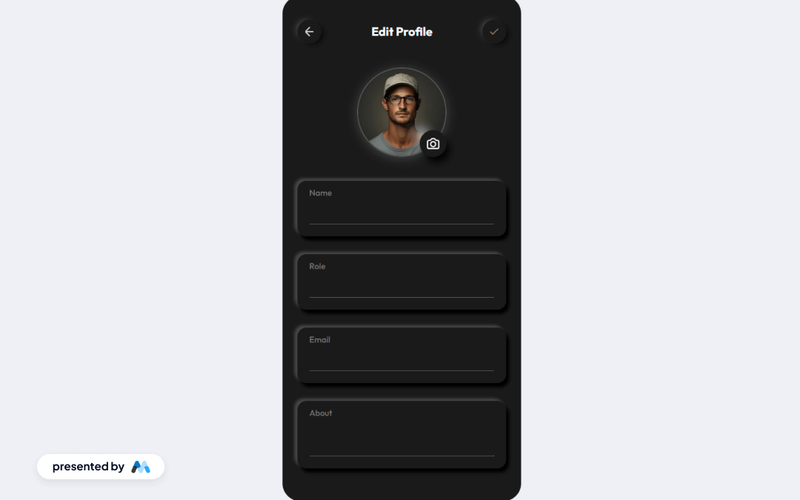
A minimalist profile editing page designed for ease of use, featuring fields for name, role, email, and an about section, complete with form submission feedback. Key Features Clean and minimalist design Form fields for name, role, email, and about section User-friendly form submission feedback Responsive layout for various devices Customizable styles and classes Design Elements Soft color palette with light gray backgrounds Rounded corners and shadow effects for depth Flexible layout with centered alignment Crisp typography for readability Potential Use Cases Personal websites for freelancers or consultants User profile pages for social media platforms Employee profile sections for corporate websites Community forums or membership sites Online portfolios for creative professionals Conclusion: The Stunning Edit Profile component is a versatile and visually appealing solution for any website needing a user-friendly profile editing interface.

Stylish Profile Display
View Component
Profile

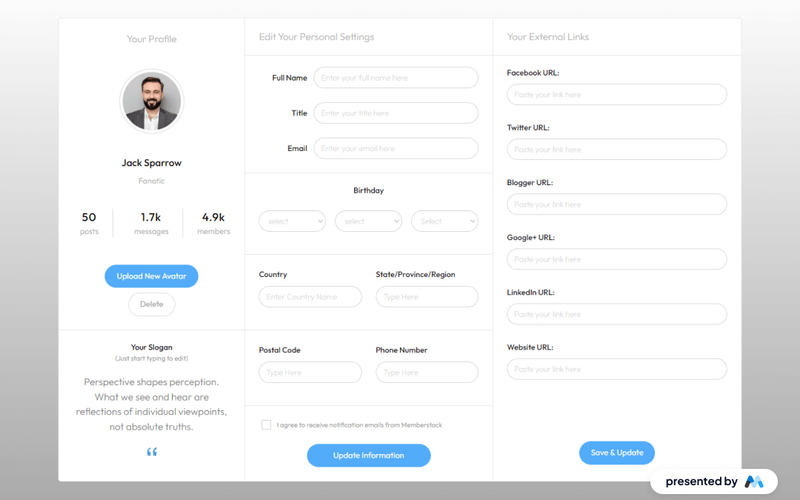
Stylish Profile Display

The Stylish Profile Display component is designed to showcase user profiles in a visually appealing manner. It includes sections for user images, names, titles, and various statistics, making it suitable for social platforms or personal websites. The component is structured to allow easy customization and integration into Webflow projects. Key Features Profile image upload functionality with a button for 'Upload New Avatar'.Display of user name, title, and a brief description.Statistics section showing posts, messages, and members count.Editable fields for user information including name, title, email, and birthday.Responsive design that adjusts to different screen sizes. Design Elements Grid layout for organizing profile information and statistics.Use of flexbox for inline display of elements.Custom styles for text legibility and focus states.Color scheme that emphasizes user interaction with highlighted buttons. Potential Use Cases Social media platforms for user profiles.Personal portfolio websites to showcase individual achievements.Community forums where user statistics are relevant.E-commerce sites with user reviews and profiles.Professional networking sites for displaying user credentials. Conclusion: The Stylish Profile Display component is a comprehensive solution for displaying user profiles, making it a valuable addition for various online platforms.

Unstyled Profile Image Upload
View Component
UnstyledProfile

Unstyled Profile Image Upload

The Unstyled Profile Image Upload component allows users to upload their profile images seamlessly. It features a simple interface with an image preview and an upload button. Key Features Image upload functionalityPreview of uploaded imageResponsive designCustomizable stylesIncludes icons for upload actionDesign Elements: Flexbox layout for alignmentRounded image preview with a light backgroundSimple and clean design with minimalistic elementsPotential Use Cases: Social media platforms for user profile managementE-commerce websites for customer profiles Corporate intranets for employee profiles Blogging platforms for author profiles Online forums for user avatars Conclusion: The Unstyled Profile Image Upload component is versatile and can be easily integrated into various web applications, providing a user-friendly experience for profile image management.
Video Streaming Dashboard and Profile
View Component
DashboardProfile

Video Streaming Dashboard and Profile

This component serves as a comprehensive dashboard for video streaming services, allowing users to manage their profiles, search for content, and view categories of videos. Key Features User profile management Search functionality with input and button Categorization of content (e.g., Movies, Series, Trending)Recent watched items section Responsive design suitable for various devices Design Elements: Light blue background color Modern and clean layout Use of icons and images Sticky sidebar for easy navigation Flexbox layout for responsive design Potential Use Cases: Video streaming platforms looking to enhance user experience Content management systems for media libraries User profile management systems for subscription services Entertainment websites needing a dashboard for user interaction Mobile applications for video content consumption Conclusion: The Video Streaming Dashboard and Profile component is a versatile solution for any video streaming service, providing essential features for user engagement and content management.

Yellow Profile Form
View Component
ProfileProfile Email+1

Yellow Profile Form

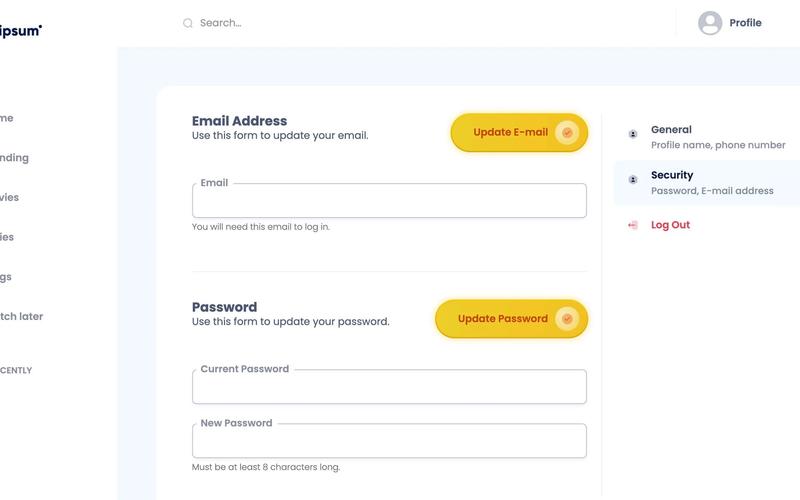
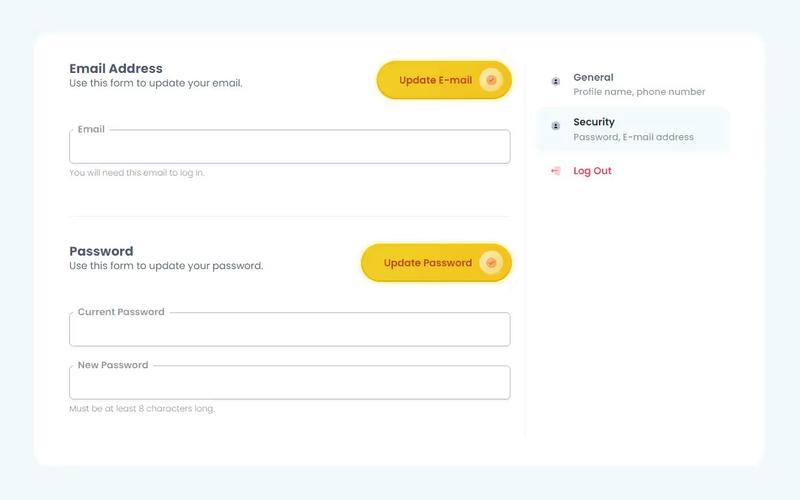
The Yellow Profile Form is a fully functional user profile component designed for Webflow, allowing easy customization and integration with Memberstack. It is free to clone and adapt for various user profile needs. Key Features 100% built-in Webflow functionalityIntegration with Memberstack for user profilesCustomizable designDesign Elements: Yellow gradient accents Rounded corners for a modern look Responsive layout with flexbox and grid Clear typography with varied font sizes Potential Use Cases: User profile management for membership sites Account settings for e-commerce platforms Personalized dashboards for web applications Community or social network user profiles Subscription-based service account management Conclusion: The Yellow Profile Form is a versatile and visually appealing component that simplifies user profile management, making it an excellent choice for various online platforms.

iOS Toggle Profile Form
View Component
Profile

iOS Toggle Profile Form

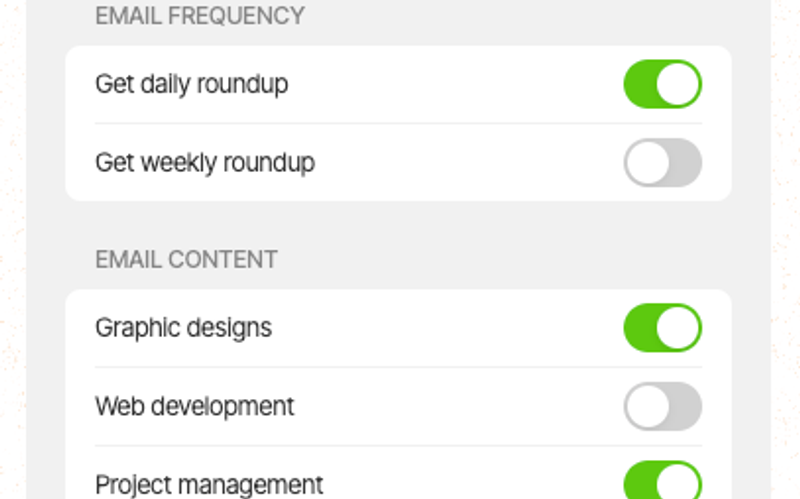
The iOS Toggle Profile Form is a user-friendly component designed for managing user preferences through a toggle interface. It allows users to easily subscribe to updates and customize their profile settings. Key Features Responsive design suitable for mobile devices Includes checkboxes for email preferences Success and error messages for form submissions Customizable form fields and labels Java Script functionality for dynamic interactions Design Elements Modern and clean aesthetic with rounded corners Soft color palette with light backgrounds and contrasting text Flexible layout with clear spacing and alignment Interactive toggle buttons with smooth transitions Potential Use Cases Web applications requiring user profile managementE-commerce sites for managing customer preferences Newsletters and subscription services Mobile apps needing user settings customization Any platform that requires user input for preferences Conclusion: The iOS Toggle Profile Form is a versatile and visually appealing component that enhances user interaction and simplifies preference management, making it an excellent choice for various applications.

Showing 1–40 of 40 componentstagged with Profile

No website yet? Check out our free & paid pre-built template websites!

View templates