Stylish Profile Display

Back

Component Description(Generated by AI)

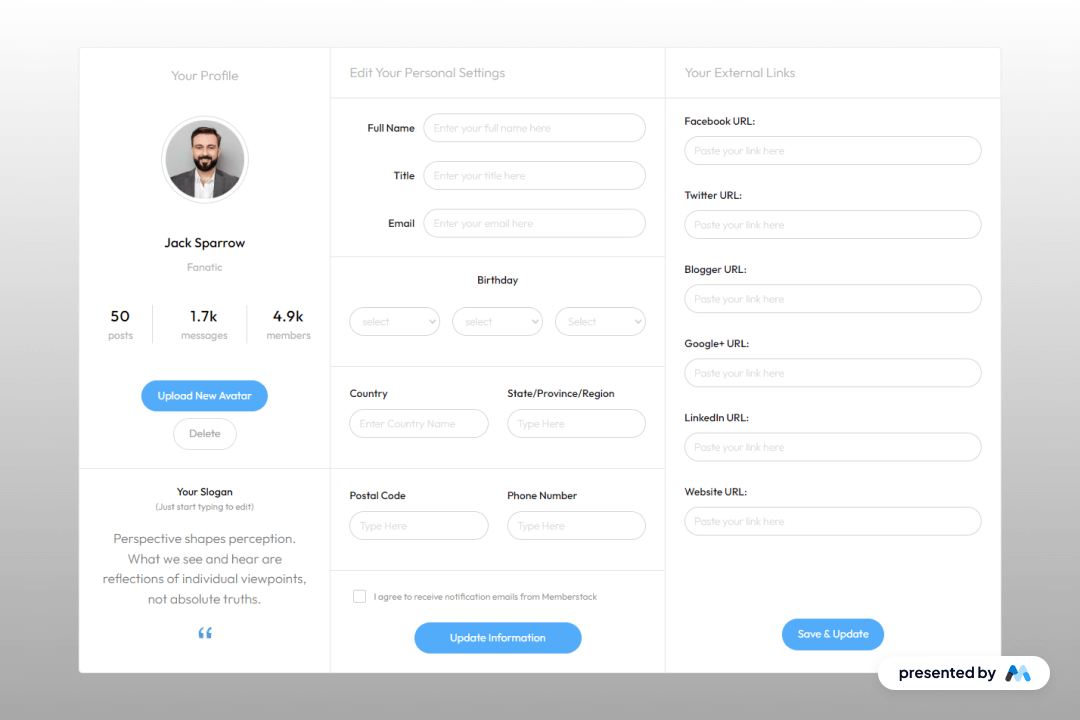
The Stylish Profile Display component is designed to showcase user profiles in a visually appealing manner. It includes sections for user images, names, titles, and various statistics, making it suitable for social platforms or personal websites. The component is structured to allow easy customization and integration into Webflow projects.

Key Features

  • Profile image upload functionality with a button for 'Upload New Avatar'.Display of user name, title, and a brief description.Statistics section showing posts, messages, and members count.Editable fields for user information including name, title, email, and birthday.Responsive design that adjusts to different screen sizes.

Design Elements

  • Grid layout for organizing profile information and statistics.Use of flexbox for inline display of elements.Custom styles for text legibility and focus states.Color scheme that emphasizes user interaction with highlighted buttons.

Potential Use Cases

  • Social media platforms for user profiles.Personal portfolio websites to showcase individual achievements.Community forums where user statistics are relevant.E-commerce sites with user reviews and profiles.Professional networking sites for displaying user credentials.

Conclusion: The Stylish Profile Display component is a comprehensive solution for displaying user profiles, making it a valuable addition for various online platforms.

Related Components

More components you might find useful

Unstyled Profile Form
View Component
ProfileUnstyled

Unstyled Profile Form

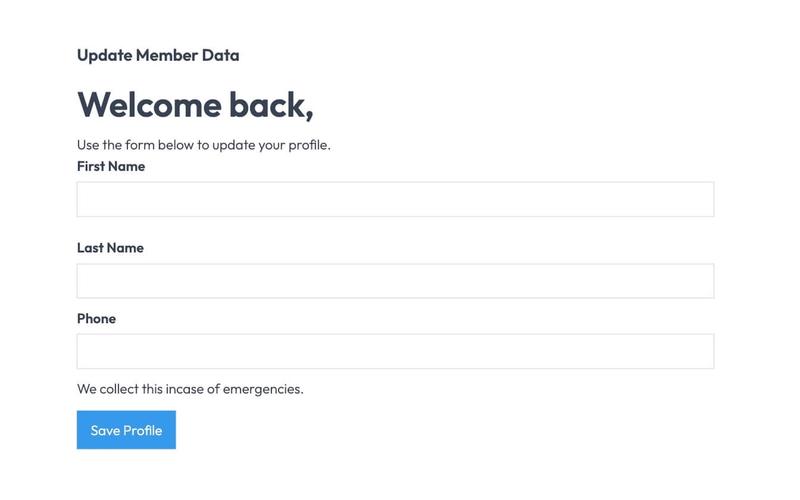
The Unstyled Profile Form is a simple and functional form designed for users to update their profile information. It includes fields for first name, last name, and phone number, along with success and error messages. Key Features Customizable fields for first name, last name, and phone number Success message upon successful submission Error message for submission failures Lightweight and easy to integrate into existing designs Design Elements Minimalist design with no predefined stylesFlexbox layout for form elementsResponsive design suitable for various screen sizes Potential Use Cases User profile management for web applications Membership sites requiring user information updatesE-commerce platforms for customer account management Community forums for user profile editing Conclusion: The Unstyled Profile Form offers a straightforward solution for user profile updates, making it versatile for various applications while allowing for easy customization to fit different design aesthetics.
Downloads Profile Form
View Component
ProfileDashboard+2

Downloads Profile Form

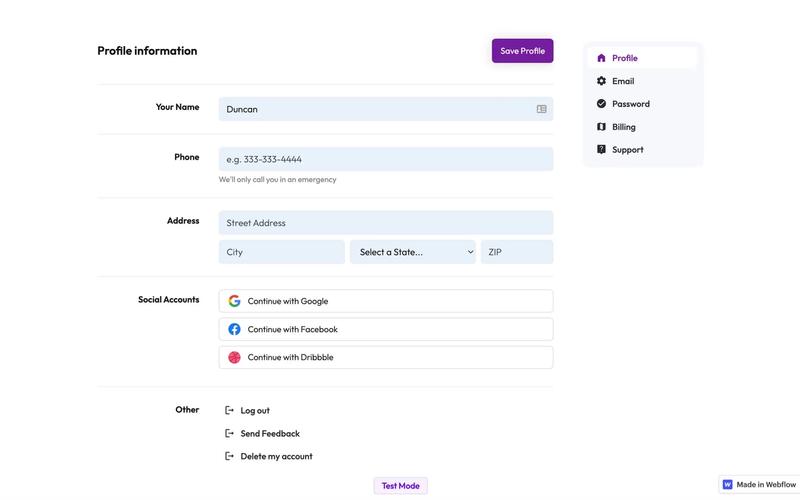
The Downloads Profile Form is a versatile component designed for user profile management, allowing users to update their personal information, including name, email, password, and billing details. Key Features Multi-tab interface for easy navigation.Form validation with success and error messages for user feedback.Social media login options for Google, Facebook, and Dribbble.Responsive design suitable for various devices.Customizable fields for user input.Design Elements: Clean and modern layout with a focus on usability.Color scheme featuring white backgrounds with contrasting text for readability.Icons integrated with form fields for enhanced visual appeal.Sticky navigation for easy access to different sections.Potential Use Cases: Web applications requiring user profile management.E-commerce platforms needing customer account management.Membership sites for managing user subscriptions and billing.Social networks for user account settings.Any service that requires user data collection and management.Conclusion: The Downloads Profile Form is a highly functional and visually appealing component that can be easily integrated into various web applications, making it an excellent choice for businesses looking to enhance user experience.

Edit Profile (Seamless)
View Component
Profile EmailProfile Password+1

Edit Profile (Seamless)

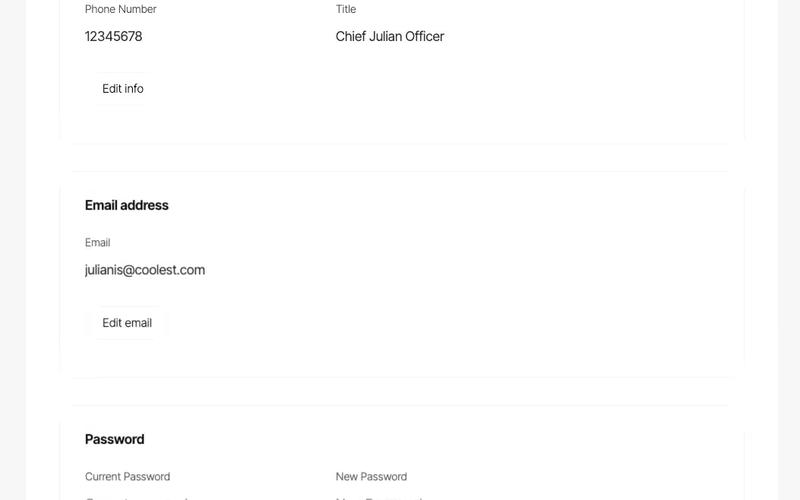
The Edit Profile (Seamless) component provides a user-friendly interface for users to update their profile information, including personal details and social connections, in a streamlined manner. Key Features Customizable profile fields including name, email, phone number, and title.Social media integration with options to connect or disconnect accounts (Google, Facebook, Linked In).Responsive design suitable for various devices.Includes success and error messages for form submissions.Image upload functionality for profile pictures.Design Elements: Modern and clean layout with rounded corners and soft color palette.Use of icons for social media connections.Flexible grid layout for input fields and buttons.Potential Use Cases: Personal websites for freelancers or consultants.User profile management for online platforms.Social networking sites requiring user profile customization.E-commerce websites with user accounts needing profile updates.Conclusion: The Edit Profile (Seamless) component is versatile and visually appealing, making it an excellent choice for any platform that requires user profile management.

HR management-Employee Profile
View Component
Profile

HR management-Employee Profile

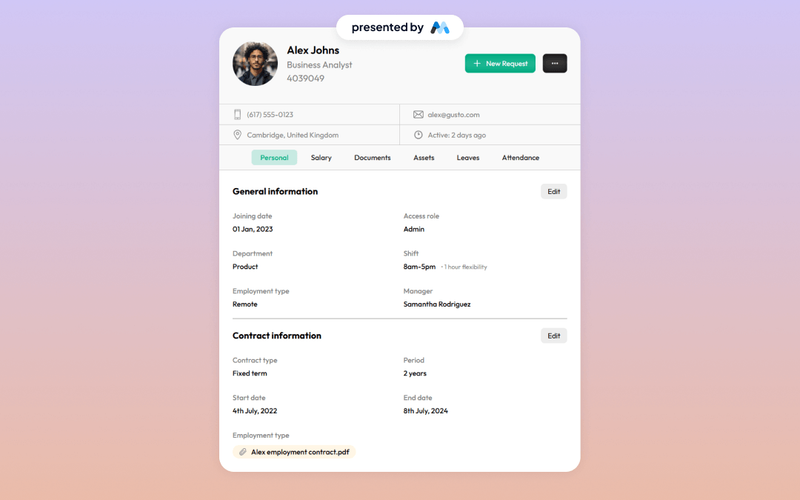
The HR management-Employee Profile component is designed to facilitate the management of employee information within an organization. It includes sections for personal details, contact information, and tabs for various employee-related documents and requests. This component serves as a template for HR departments to streamline employee data management. Key Features Employee personal information display including name, position, and contact details.Image support for employee profile pictures.Tabs for organizing different categories such as personal details, salary, documents, and attendance.Responsive design elements that adapt to various screen sizes. Design Elements Utilizes a clean layout with clear sections for easy navigation.Incorporates a tabbed interface for efficient categorization of employee information.Employs a consistent color scheme and typography for a professional appearance. Potential Use Cases Human Resources departments in companies looking to manage employee profiles.Startups needing a simple solution for employee data management.Educational institutions tracking staff information.Freelancers or consultants managing client profiles. Conclusion: This component provides a structured and organized approach to employee profile management, making it a valuable resource for HR professionals.