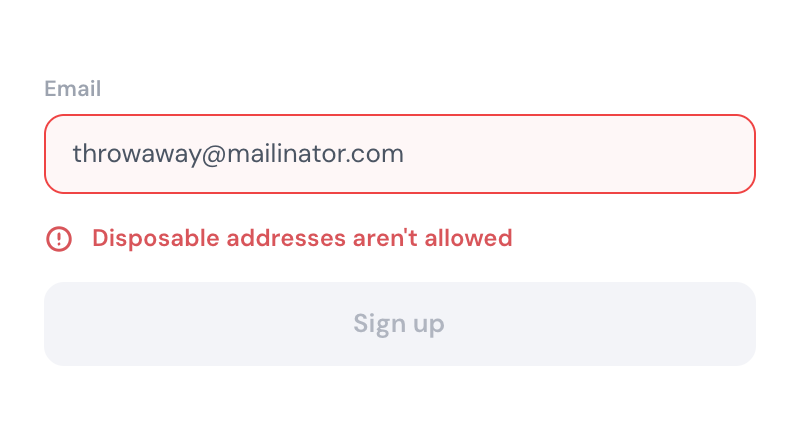
Block Disposable Emails
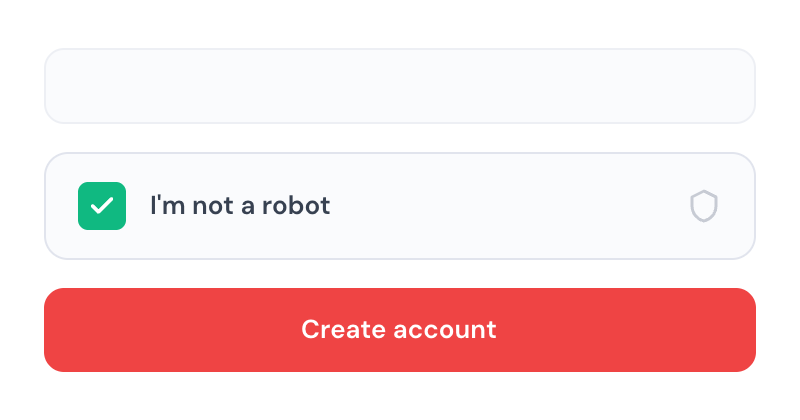
By default, Memberstack will prevent sign-ups from thousands and thousands of "throw-away" email addresses.
Upload PDFs, workbooks, images and more straight into Memberstack and give them only to the members who should have them. No more gated downloads on Google Drive or Dropbox, and no more hoping nobody shares the link.
Course-Guide.pdf
data-ms-secure-file="course-guide"
Member with access
Logged out or no access
Scanned for malware before anyone can download it
Locking the page is only half the job. If the download sits on a share link, anyone holding that link walks right past your paywall.
The old way
With Hosted Files
Three steps from file to members-only download.
Upload it in Gated Content → Files, or add it as a FILE item inside a content group. The content group's access rules decide who can download it.
On Webflow, add data-ms-secure-file to a link, button, div or image. "Copy Webflow attribute" in the file's menu gives you the exact one.
Members with access get a download link that lasts 5 minutes and refreshes on its own while the page is open. Logged-out visitors and members without access don't see the element at all.
Drop an attribute on your Webflow element, or call one method from your own build.
Webflow
Add data-ms-secure-file to a link, button, div or image, with the file's content ID as the value. On the Files page, open the file's menu and click "Copy Webflow attribute" ("Copy attribute" on WordPress and Script Tag sites).
<a href="#" data-ms-secure-file="course-guide">
  Download the course guide
</a>Code builds
Building with the Memberstack DOM package? Call getSecureContent with the file's content ID. For a hosted file it returns a download link and the file's details.
const result = await memberstack.getSecureContent({
  contentId: "course-guide",
});
// For a hosted file: a download link
// and the file's detailsPut data-ms-secure-file on any of these. Publish your site to see it working.
| Element | What happens |
|---|---|
| Link | The link points to the file. PDFs and images open in the browser; other files download. "Open in new tab" works as usual. |
| Button or div | Clicking it works like a link, in the same tab: PDFs and images open in the browser; other files download. |
| Image | Shows the image file (PNG, JPG or WebP). Webflow's placeholder image is replaced. |
The name and size attributes take the file's content ID as their value.
data-ms-secure-file-downloaddata-ms-secure-file-name="course-guide"data-ms-secure-file-size="course-guide"Only members with access get a link, and that link doesn't last.
Download links last 5 minutes and refresh on their own while the page is open. A copied link stops working after that, so it can't be passed around.
Logged-out visitors and members without access don't see the element at all: Memberstack removes it from the page.
Access is checked on Memberstack's servers, so it can't be bypassed in the browser.
Every upload is scanned for malware before members can download it. It usually takes under a minute.
The status updates on its own. The Need attention count on the Files page lists the files members can't download.
| Status | What it means |
|---|---|
| Scanning | The malware scan is running. Members can download the file once it finishes. |
| Couldn't scan | The malware scan couldn't read the file, so members can't download it. This is rare: for example, a ZIP that contains a password-protected file. Upload a version without passwords. |
| Malware found | The scan found a threat, so the file is blocked. Upload a clean copy. A flagged file still counts toward your storage until you delete it from the Files page. |
| Taken down | Memberstack took the file down. Contact support if you have questions. |
Course guides, templates, ebooks, slide decks, image packs. If members should download it, upload it.
File types
Video isn't supported yet. A free app that is nearly full sees a link to upgrade where you upload files.
Same job, different payload: keep members-only stuff members-only. Pick by what you're protecting, or use both.
Gated links and HTML
Store a link or a snippet of HTML in Memberstack. It only lands on the page for members with access, so it never sits in your page source.
Best for
The file itself, stored in Memberstack
Upload the file to Memberstack, or add it as a FILE item in a content group. Members with access get a download link that lasts 5 minutes.
Best for
From Webflow designers to AI-native founders, see why thousands choose Memberstack to power their memberships.
Great service - I am very impressed by how easy it is to integrate their service into an existing site.

Steve Coleman (scole)
co-founder
This is a huge leap forward to the no-code movement. Eager to see it grow. Duncan is on to something really huge... I said it first.

Tayler Freund
UI UX Designer @ Pixel
Memberstack made Webflow twice as valuable for me. The docs for using Memberstack are extremely well done. Setting up Memberstack is so smooth.

Thomas Boosinger
CEO at MyAIScholar
Awesome service by the Memberstack team. I recently implemented my first site with paid memberships and gated content - Super easy.

Tim Daff
Website Designer
I love Memberstack and use it regularly. It's an amazing product, thank you so much :)

Tony Maguire
getstreak.com
Great site , Easy to navigate , Good customer service - The site is easy to navigate and customer service is knowledgable and quick to respond.

Tracy Schneider
Owner, MySpaList
For me I have used Memberstack for more than 4 client projects and the reason is because of the community behind it.
Tsaaid
Freelance software engineer
Wow, shoutout @MemberstackApp for some truly accommodating, generous, awesome customer service.

Dan Pierson
I'm amazed at what you folks have created. Awesome product, great customer experience...and with a small team. Keep up the great work!

Keith
Thanks for your help and your amazing product! You have a good impact on the no-code industry :)

Gabriel Amzallag
Memberstack has allowed us to think outside the box with our website and with our business.

Sam Naus
Designer & Visual Artist.
Good software to manage user accounts. From their Integrations, to their support team, an pricing.

Saurabh Singh
Talent Acquisition
Everything you need to know about Memberstack. Can't find what you're looking for? Reach out to our team.
PDF, Word (DOC, DOCX), Excel (XLS, XLSX), PowerPoint (PPT, PPTX), CSV, TXT, EPUB, PNG, JPG, WebP and ZIP, up to 50 MB each. Storage is 1 GB per app on a paid plan and 25 MB on a free app.
Not yet. Hosted Files supports the file types listed above.
Members with access to the file's content group (the plans you chose, or all members). Access is checked on Memberstack's servers, so it can't be bypassed in the browser. Logged-out visitors and members without access don't see the element at all: Memberstack removes it from the page.
A link only works for 5 minutes, then it stops working. Links refresh on their own while the page is open, and each member gets their own fresh link.
Every upload is scanned for malware, and password-protected files can't be scanned, so they're refused at upload. This applies to password-protected PDF, ZIP, Word, Excel and PowerPoint files. Remove the password and upload the file again.
Usually under a minute, and the status updates on its own. Members can download the file once the scan finishes.
The malware scan couldn't read the file, so members can't download it. This is rare: for example, a ZIP that contains a password-protected file. Upload a version without passwords.
Open the file's content group, edit the item, click Replace file, then save. The content ID stays the same, so your Webflow elements keep working.
Check that the member has access to the file's content group, that the content ID in the attribute matches the file, and that the file's status isn't Scanning, Couldn't scan or Malware found. "Copy Webflow attribute" in the file's menu gives you the exact attribute to paste.
No. Deleting a file frees its space right away. A file Memberstack staff have taken down (Taken down) can't be deleted and still counts until it's reviewed; contact support about it.
Yes. If you build with the Memberstack DOM package, call getSecureContent({ contentId }). For a hosted file it returns a download link and the file's details. The developer docs walk through it.
Hosted Content stores gated links and HTML in Memberstack. Hosted Files stores the file itself. A file can be uploaded in Gated Content → Files or as a FILE item inside a content group, and that group's access rules decide who can download it.
New
Move your gated downloads off Google Drive and Dropbox and into Memberstack, where only the right members can get them.